What Makes This Twitch Overlay Pack Stand Out
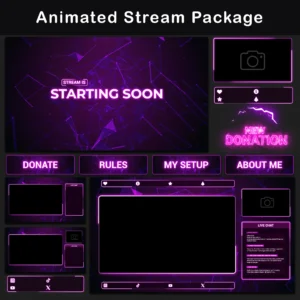
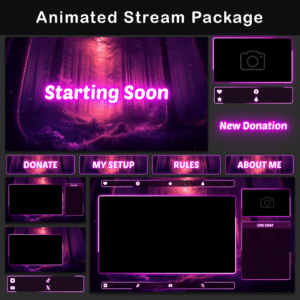
This Twitch Overlay Pack draws its visual identity from enchanted forest imagery, pairing deep purple tones with fluorescent magenta highlights and softly drifting firefly particles. The result is a cohesive streaming look built around dramatic light-and-shadow contrast, where every animated stream overlay element loops seamlessly without visible cuts or stutters.
The Animated Enchanted Forest Twitch Overlay Pack covers every scene a streamer needs: Starting Soon and BRB screens, animated alerts, webcam frames, chat boxes, and a full set of Twitch panels. Pre-built scene collection files handle all positioning automatically, so the entire Twitch Overlay Pack can be imported into OBS Studio or Streamlabs Desktop and made stream-ready in seconds.
Key Features
- Unified enchanted forest color grading across every asset. Screens, overlays, alerts, and panels share the same magenta-and-purple palette with golden particle accents. Switching between scenes never breaks the visual continuity of the stream.
- Drifting firefly particle effects layered into all animated elements. Subtle ambient motion replaces busy UI animations, keeping this aesthetic stream overlay clean and unobtrusive during ASMR, cozy gaming, or V-Tuber sessions.
- Pre-built scene collection files for one-step import. Every element arrives pre-positioned in ready-to-import files for OBS Studio and Streamlabs, reducing setup from hours of manual placement to a single file import.
- Seamless ambient animation loops with no frame-jump artifacts. Each animated element cycles indefinitely with no visible starting or ending point, maintaining a continuous pink stream overlay look even during multi-hour streams.
- Multiple overlay layouts for camera, no-camera, and chat configurations. Switching between Just Chatting and full-screen gameplay scenes requires zero repositioning. Each layout is a separate, ready-to-use composition.
Package Contents
Animated Screens
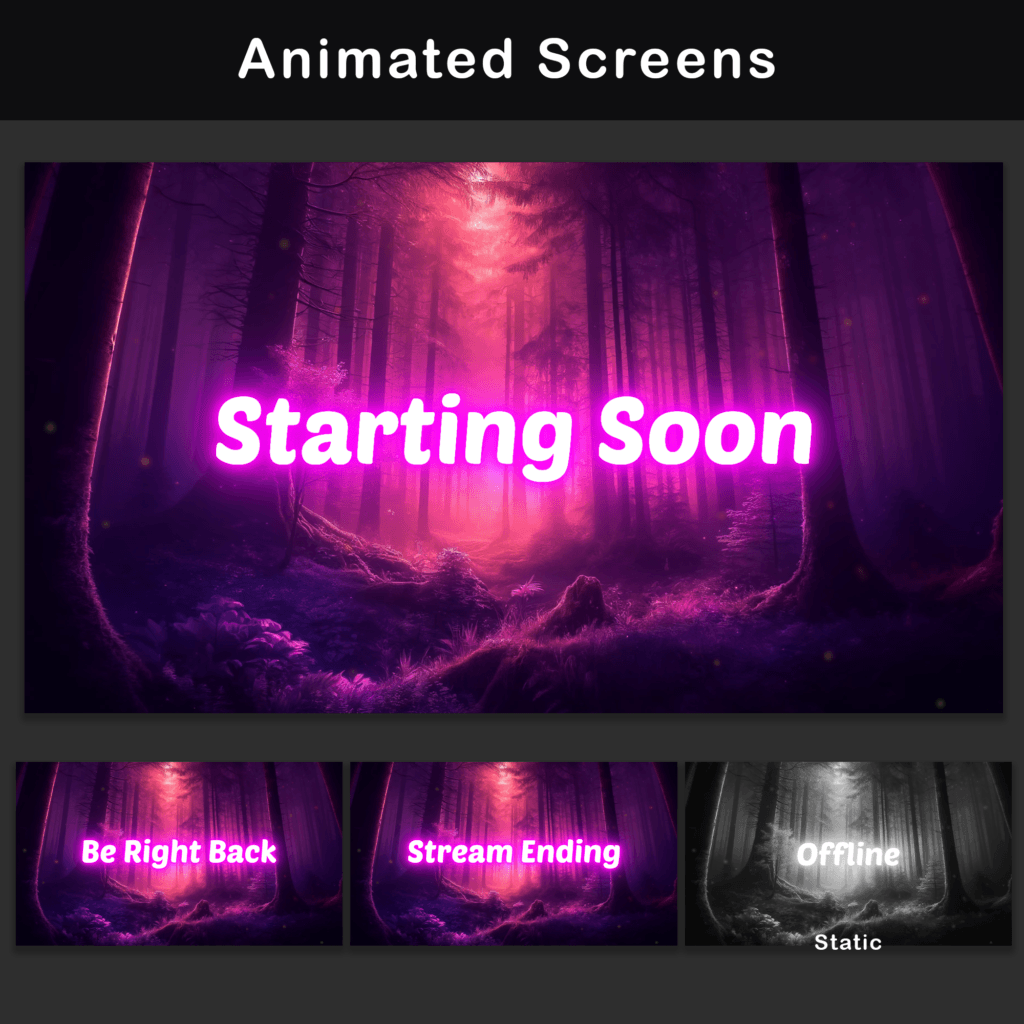
MP4, PNG — 3 screens: Starting Soon, BRB, Stream Ending + 1 Offline screen (static). Ready-to-use holding screens for every stage of a stream session, removing the need to build separate title cards from scratch.
Animated Overlays
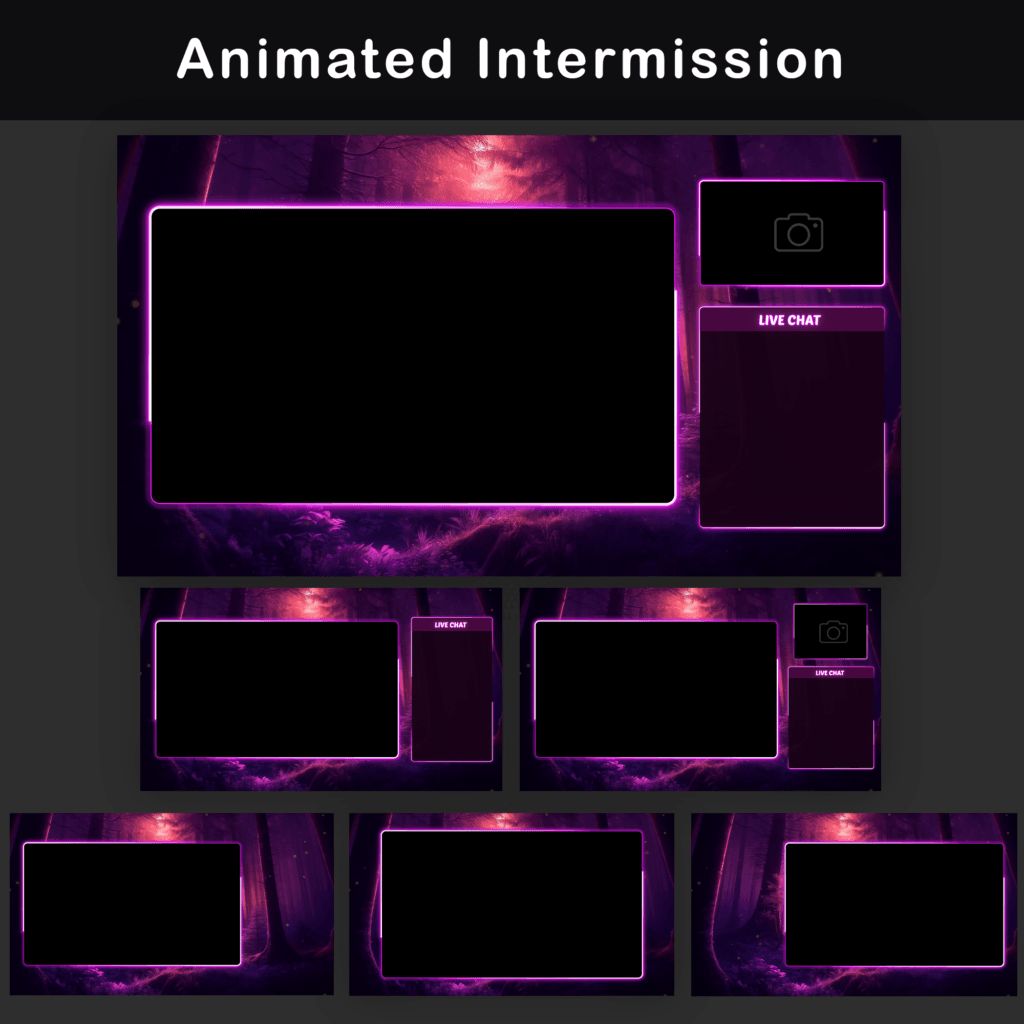
WebM, PNG — 6 layouts with and without camera and chat box configurations. Pre-arranged compositions handle scene design for both gameplay-focused and camera-focused stream formats.

Animated Alerts
WebM — 6 alerts: Cheer, Donation, Follower, Host, Raid, Subscriber. Each notification matches the enchanted forest aesthetic, keeping on-screen events visually consistent with the rest of the stream overlays in this set.
Animated Webcam Overlays
WebM, PNG — 3 webcam frames in different aspect ratios (16:9, 4:3, 3:4). Multiple ratios accommodate different camera setups without cropping or stretching the source feed.


Twitch Panels
PNG — 30+ panels covering About, Rules, Donors, Setup, Socials, and more. A full set of channel info panels ensures the profile page carries the same enchanted forest look as the live stream.
Stream Labels and Social Bars
WebM, PNG — 14 animated labels for social media handles and support messages. Animated bars keep contact information visible on screen without occupying excessive space.


Chatboxes
WebM, PNG — 6 chatboxes: 3 with transparent background (75% opacity) + 3 with solid background. Two opacity options let the streamer balance text readability against background visibility depending on the content being shown.
Animated Stinger Transition
WebM — 1 stinger transition styled to match the enchanted forest theme. A dedicated scene-change animation provides a smooth visual bridge when switching between layouts.
Extras
WebM, MP4, PNG —Blank frames and blank backgrounds without text. Clean versions allow adding custom text directly in the streaming software using any preferred font.

Technical Specifications
- File Formats: PNG, MP4, WebM
- Resolution: 1920x1080px
- Animated Screens: 10-second loops (MP4)
- Animated Overlays: 15-second loops (WebM)
- Alert Duration: 8 seconds (WebM)
- Stinger Transition: 2 seconds (WebM)
- Static Elements: PNG
- Compatibility: OBS Studio, Streamlabs Desktop
- Language: English
Important Notes
- Preview WebM files by loading them into streaming software or dragging them into a web browser (Chrome or Firefox). The default Windows video player does not render the transparency channel correctly, which may cause colors to appear washed out.
- Text on animated screens is baked into the video files and cannot be edited. Blank background versions without text are included for adding custom text via OBS text sources.
- Alerts and stream overlays in this Twitch Overlay Pack do not include sound effects. Custom audio can be assigned through the streaming software’s alert settings.
- All text labels in this pack are provided in English.
After purchase, all files are available for immediate download. Import the included scene collection file into OBS Studio or Streamlabs Desktop, and this Twitch Overlay Pack’s entire enchanted forest setup is ready to go.
Discover More Streaming Overlays
- Sale!

Twitch Overlay Black White Anime Catgirl | Grunge Pack
Original price was: $19.97.$10.97Current price is: $10.97. - Sale!
Animated Gothic Twitch Overlay Pack – Vintage Horror Stream Overlay
Original price was: $19.97.$10.97Current price is: $10.97. - Sale!
Twitch Overlay Pack – Animated Dark Grunge Minimalist
Original price was: $15.97.$10.97Current price is: $10.97. - Sale!
Animated Twitch Overlay Pack | Minimalist Black & Blue Stream Package for OBS & VTuber
Original price was: $19.97.$10.97Current price is: $10.97. - Sale!
Twitch Overlay Package — Animated Minimalist Black and Red Neon
Original price was: $19.97.$10.97Current price is: $10.97. - Sale!
Twitch Overlay Pack – Animated Minimalist Neon Plexus
Original price was: $19.97.$10.97Current price is: $10.97. - Sale!
Neon Twitch Overlay Package | Animated Stream Pack
Original price was: $19.97.$10.97Current price is: $10.97. - Sale!
Twitch Overlay Pack – Animated 80s Retro CRT Monitor
Original price was: $19.97.$10.97Current price is: $10.97.