What’s Inside This Twitch Overlay Pack
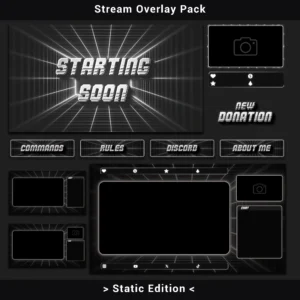
This twitch overlay pack brings a raw, monochrome retro grid aesthetic to every element of your stream. Built around 3D chrome typography, perspective grid tunnels, and a strict black-white-silver palette, the Retro Grid Stream Overlay Pack (Static Edition) delivers 40+ production-ready static assets — from stream screens and alerts to webcam frames and channel panels.
The design references early 80s digital wireframe visualization, resulting in a look that feels technical and deliberate rather than decorative. Every element shares the same geometric grid system, metallic type treatment, and film grain texture, so your twitch overlay setup reads as one cohesive unit from the first screen to the last panel.
Key Features
- 3D Chrome Typography with Scanline Cuts — every text element uses a metallic, hard-edged typeface with horizontal strip effects baked into the letterforms. The result is a tooled, mechanical appearance that sets this twitch overlay apart from standard “gamer font” packs on the market.
- Full Monochrome Palette (Black / White / Silver) — a color-neutral overlay layer that never competes with in-game visuals. Equally readable against dark horror titles and bright competitive shooters without switching themes.
- Perspective Grid Depth Effect — a geometric tunnel grid runs behind the main content area on stream screens and overlays, adding structured visual depth without covering gameplay or chat-relevant space.
- 40+ Assets, One Visual Language — stream screens, alerts, webcam frames, panels, chatbox overlays, and social bars all share the same grid-and-chrome design language. No mismatched elements, no Frankenstein setups.
- Zero CPU Overhead — static PNG files skip video decoding entirely. This is the lightest possible stream overlay setup for single-PC rigs or older hardware where every frame counts.
Package Contents
Here’s the full breakdown of this twitch overlay pack:
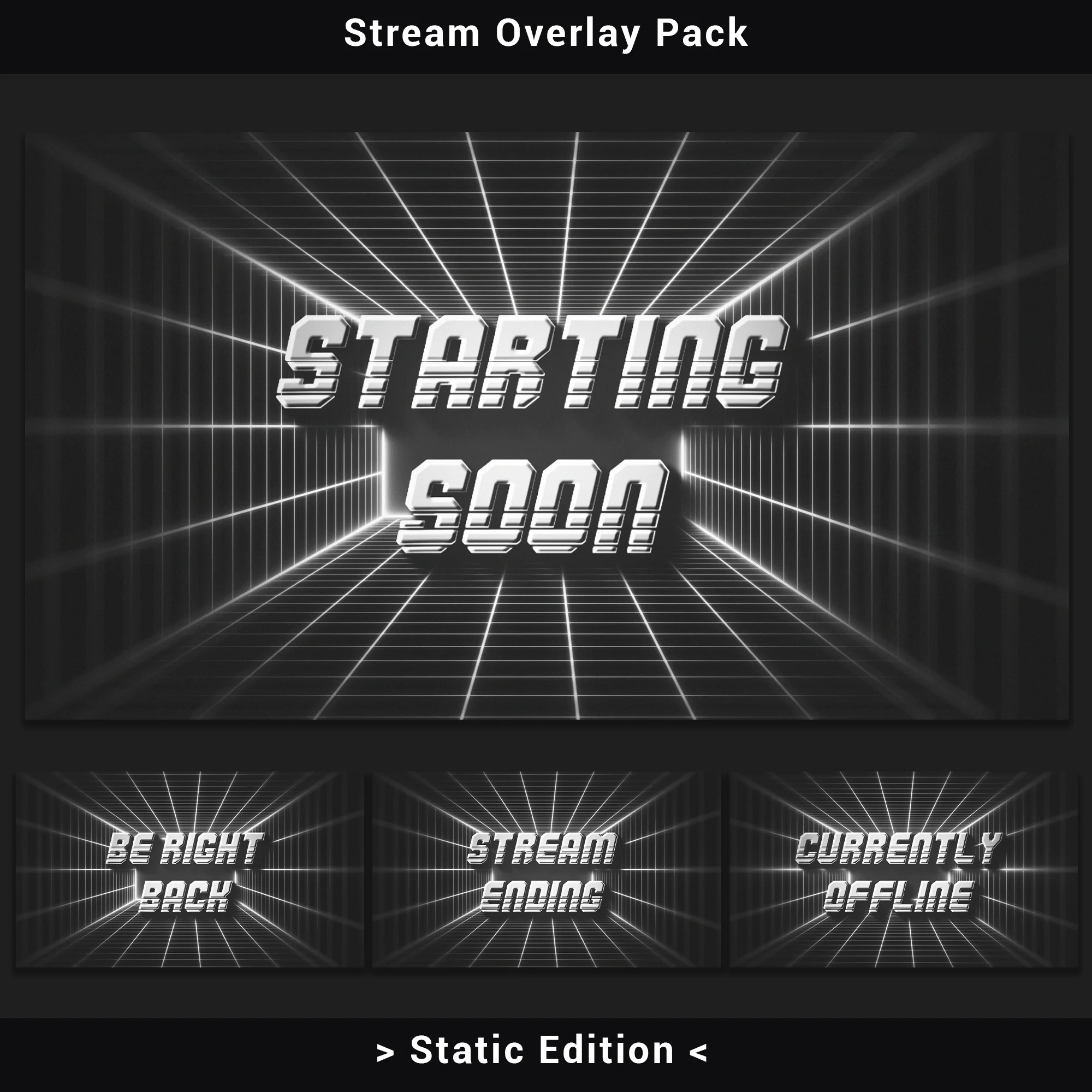
- Stream Screens (4): Be Right Back, Offline, Starting Soon, Stream Ending (PNG).
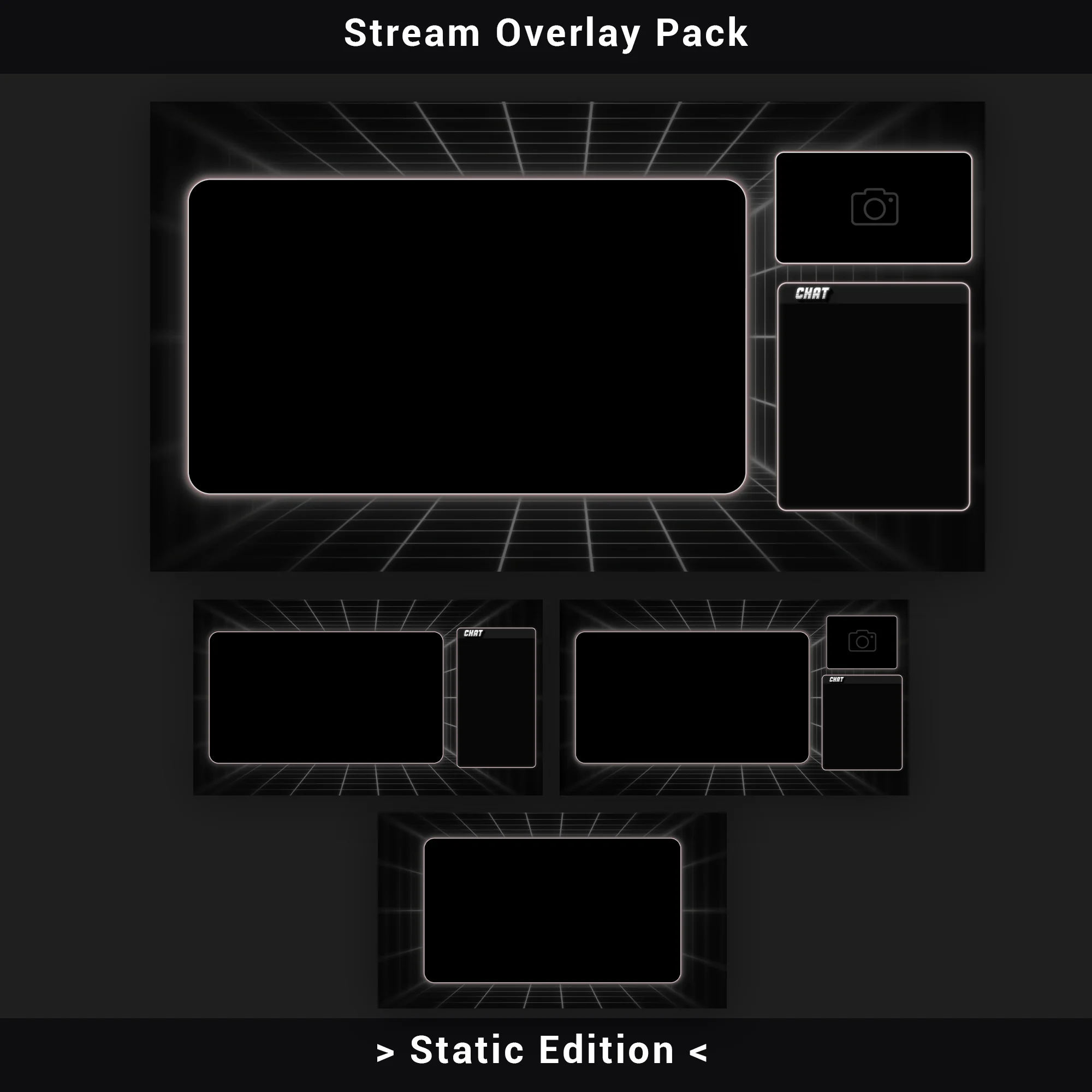
One screen for every break and transition state — viewers always see a branded, matching placeholder instead of a blank frame or a bare text message. - Premade Overlays (4): Gameplay and Just Chatting layouts, each in camera and no-camera variants (PNG with alpha channel).
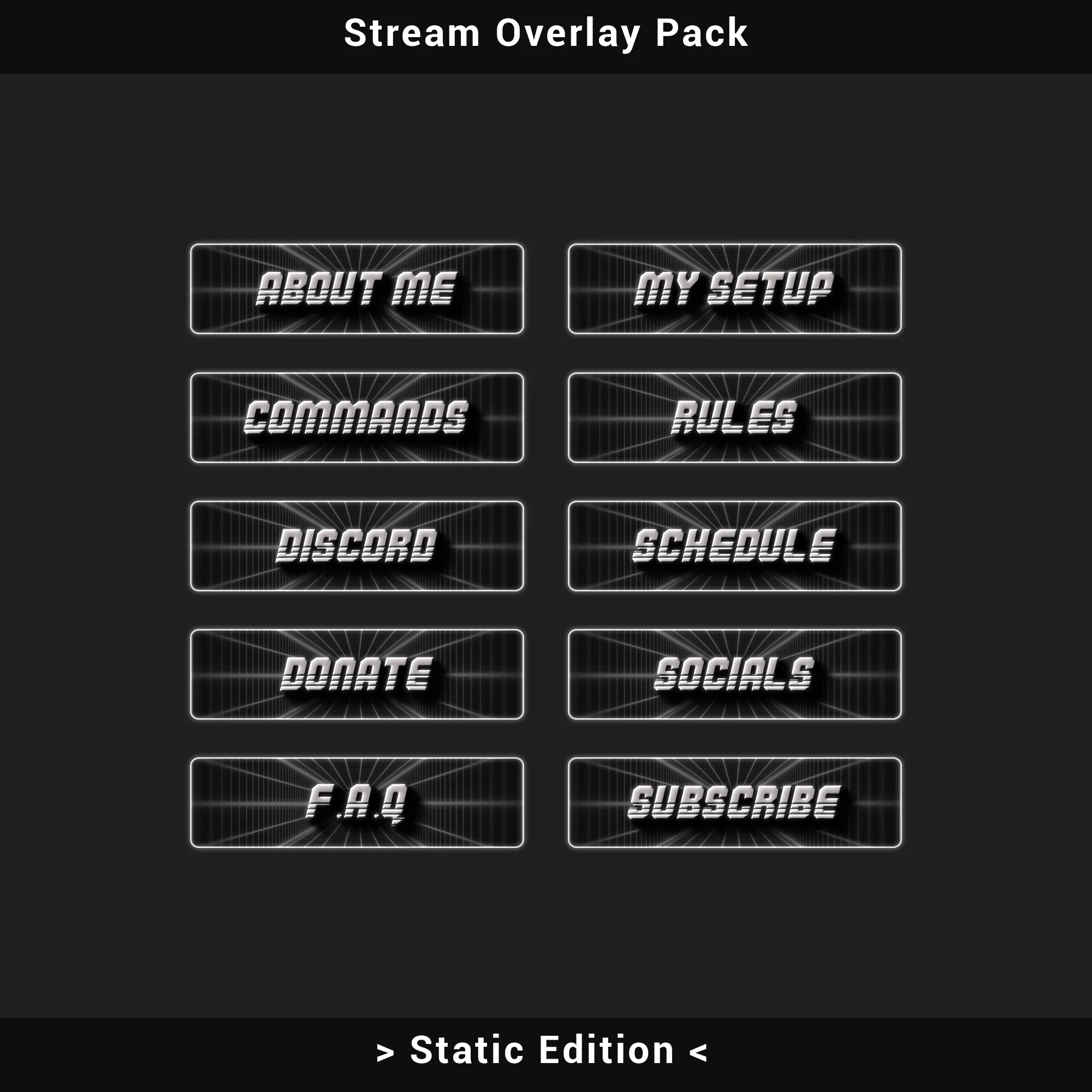
Ready-made compositions that snap directly onto your scenes. No manual element positioning needed. - Channel Panels (10): About Me, Commands, Discord, Donate, F.A.Q, My Setup, Rules, Schedule, Socials, Subscribe (PNG).
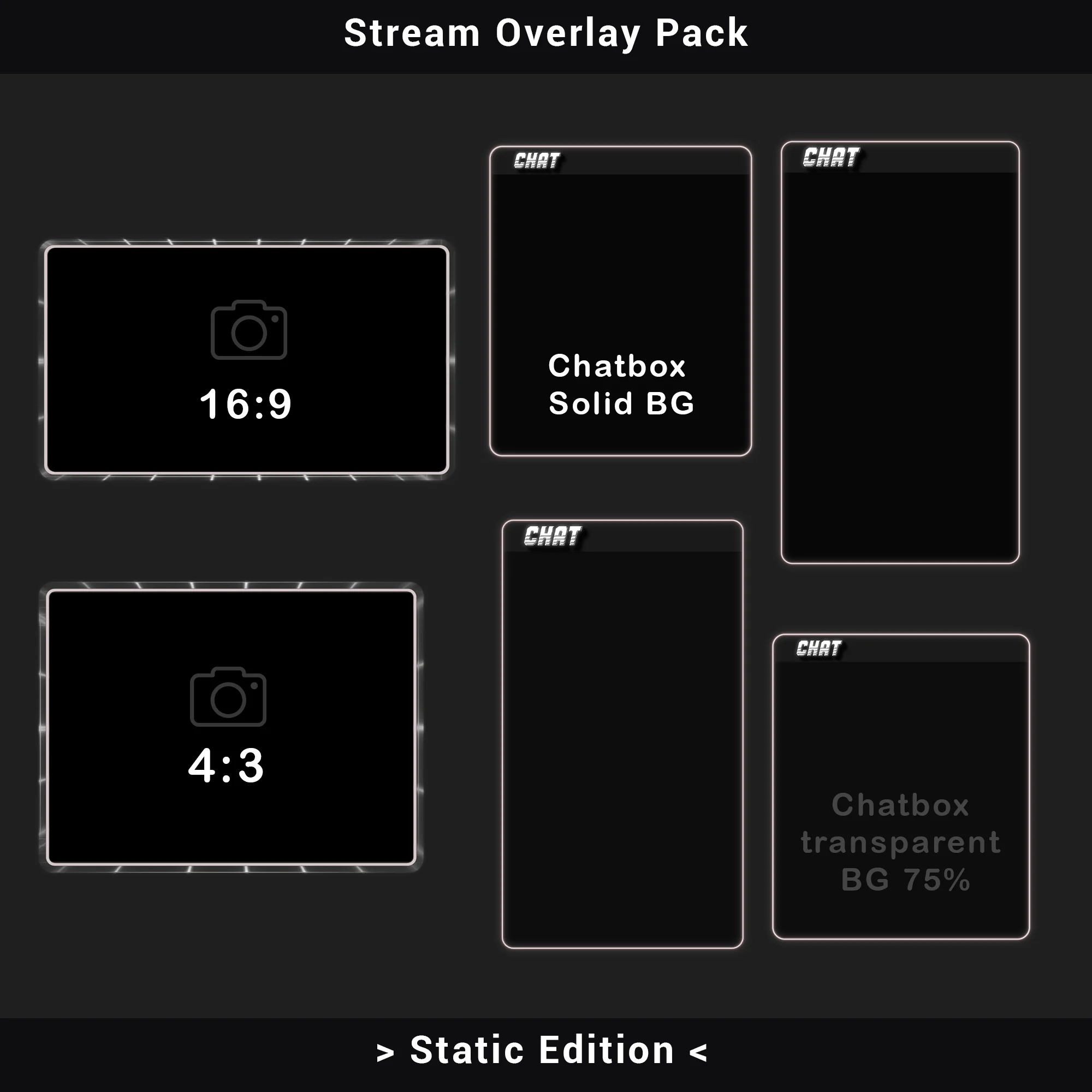
A full set covering every section of your channel page, so the retro grid identity carries through below the stream as well. - Chatbox Overlays (4): Two solid background versions and two 75% transparent versions (PNG).
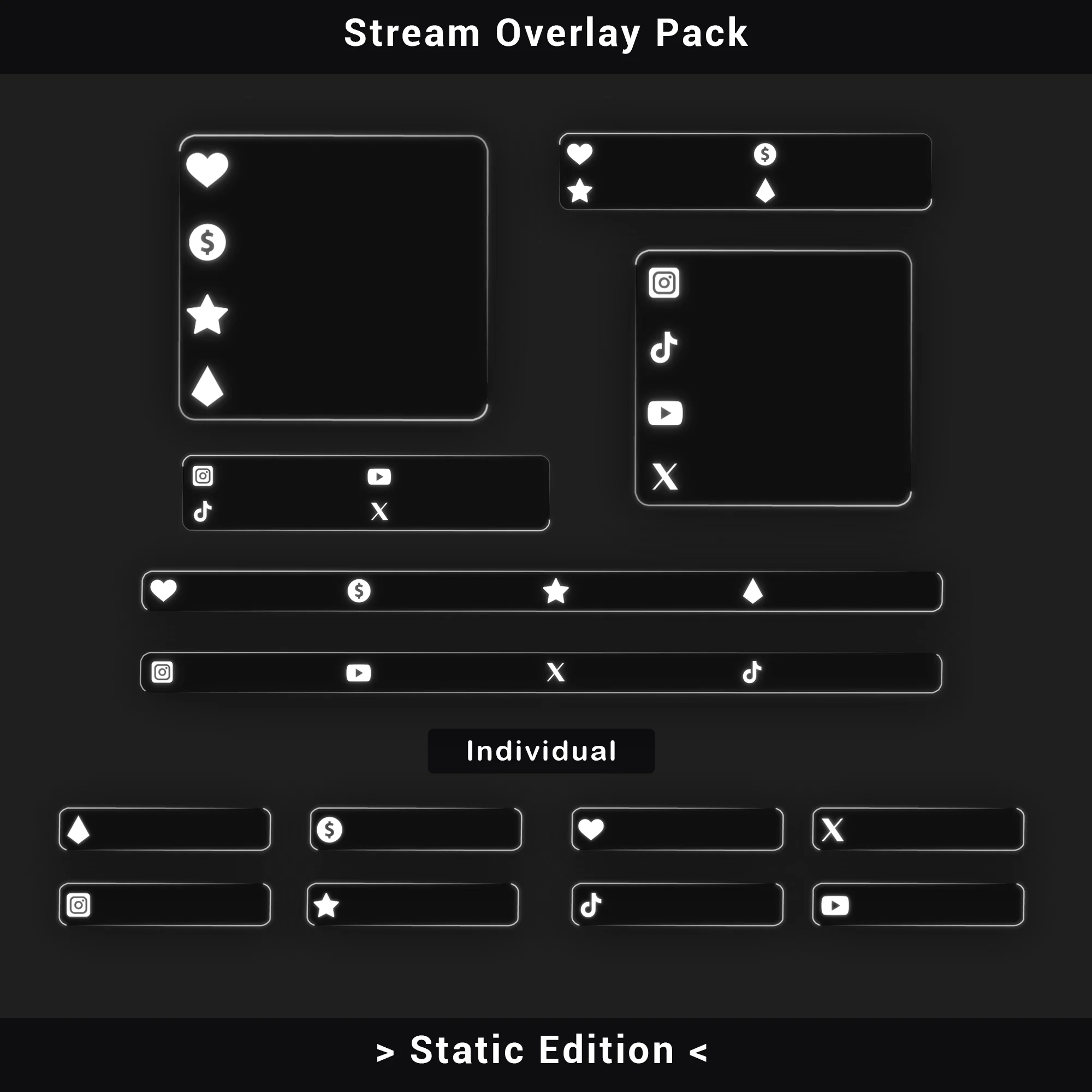
Solid variants for maximum text readability; transparent variants for keeping gameplay visible behind the chat window. - Social Media Bars (6): Discord, Instagram, TikTok, Twitch, X (Twitter), YouTube (PNG).
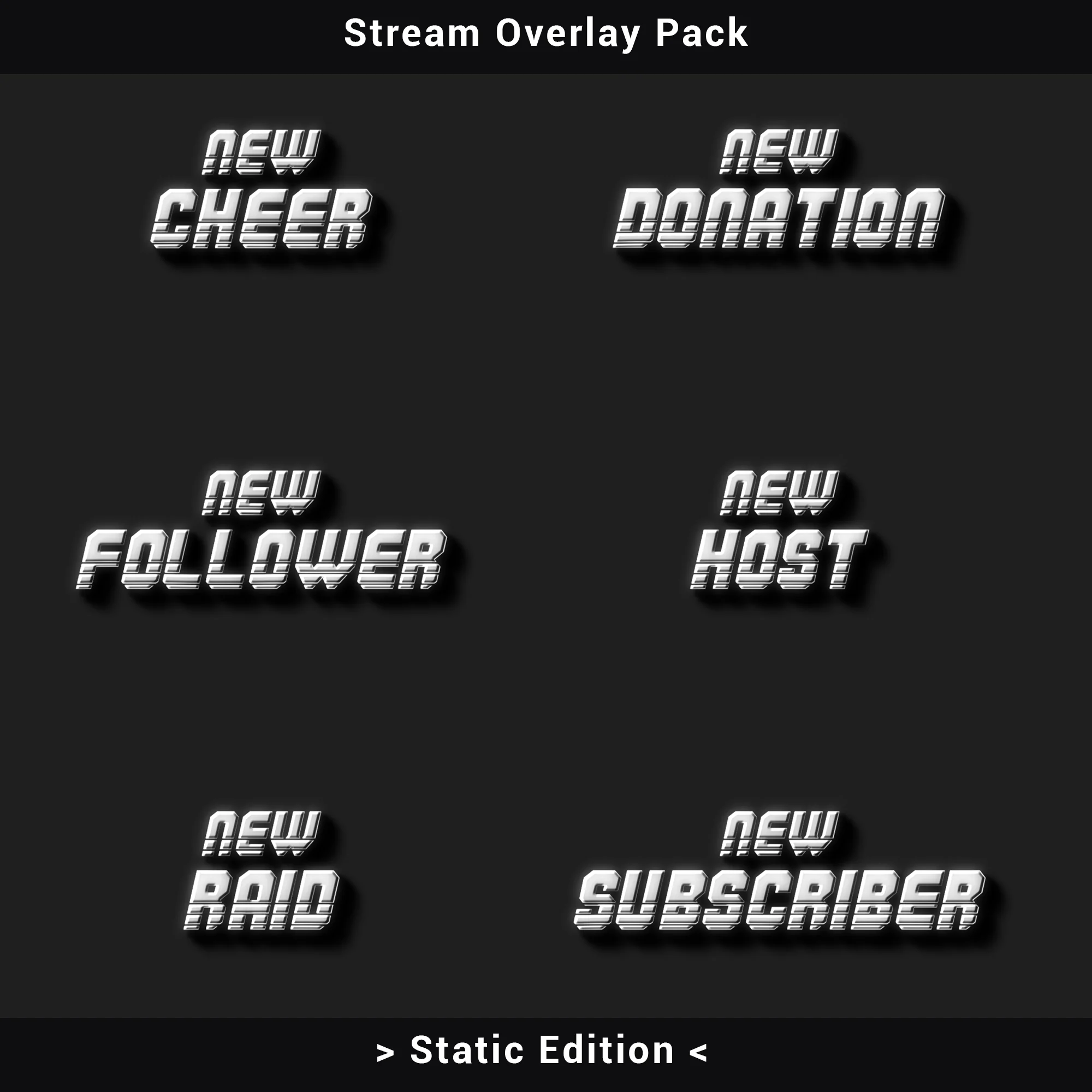
Individual bars for each platform. Display only the ones relevant to your audience without leaving empty slots on screen. - Stream Alerts (6): New Donation, New Follower, New Host, New Raid, New Subscriber, New Cheer (PNG).
Every standard notification type is covered, so each viewer interaction triggers a visually matched on-screen graphic. - Webcam Overlays (2): 16:9 and 4:3 aspect ratios (PNG with alpha channel).
Two frame sizes fitting the most common webcam crops — no resizing or distortion required. - Stream Labels (4): Latest Follower, Latest Subscriber, Latest Donation, Latest Cheer (PNG).
Real-time event tickers maintaining the retro grid style for your latest stream activity.
Technical Specifications
- File Format: PNG
- Stream Screens & Premade Overlays Resolution: 1920×1080 (Full HD)
- Other Assets: Industry-standard dimensions
- Transparency: Alpha channel on premade overlays, webcam frames, alerts, chatbox overlays, social bars, labels, and panels
- Total Assets: 40+
- Software Compatibility: OBS Studio, Streamlabs Desktop, StreamElements, and any streaming software supporting transparent PNG image sources
Important Notes
- Static files only. This twitch overlay pack contains PNG images — no animated elements, no video files. For the full animated experience with motion effects, transitions, and a Stinger, check out the Animated Retro Twitch Overlay Pack.
- Text is not editable. All typography is rasterized into the image files. Font, size, and wording cannot be modified within the PNG sources.
- Colors are fixed. The monochrome black/white/silver palette is baked into the files. Advanced users can experiment with Color Correction filters in OBS, but results will vary.
- No audio included. Alert graphics are visual only — pair them with your own notification sounds in OBS or Streamlabs.
- Manual setup. This pack does not include automated Scene Collection import files. Each element is added individually via drag-and-drop or the Image Source method in your streaming software.
Get Started
After purchase, all files are available as an instant download. Extract the archive, add the PNG assets as Image Sources in your streaming software, and your retro grid twitch overlay setup goes live in minutes.
Want the full animated experience? The Animated Retro Twitch Overlay Pack includes motion effects on every element, animated scene transitions with a Stinger, and ready-made Scene Collection files for one-click import into OBS and Streamlabs.
FREQUENTLY ASKED QUESTIONS (CLICK TO EXPAND) ▼
Are the graphic files (texts, headers) editable?
No. All files in this pack are rasterized PNG images. The text on stream screens (Starting Soon, Be Right Back, Offline, Stream Ending) and channel panels is baked into the graphics and cannot be modified. Choose this pack if the existing 80s grid typography and wording work for your channel as-is.
What does the installation process look like? Is there an installer?
There is no automatic installer or .exe file. Setting up this twitch overlay pack is a manual process — add each PNG file as an Image Source in your streaming software using drag-and-drop. Position and resize the elements to match your scene layout. The process takes a few minutes per scene.
Do these overlays lag the computer (CPU/GPU)?
No. Every file in the pack is a static PNG image. Static images skip video decoding entirely, which means the load on both CPU and GPU is effectively zero. A solid option for single-PC setups or older hardware where system resources are tight.
Is the overlay one large image, or is it made of separate parts?
This twitch overlay pack is fully modular. Webcam frames, chatbox overlays, social media bars, stream labels, and alert graphics are all separate PNG files with independent positioning. The pack also includes 4 premade overlay compositions (Gameplay and Just Chatting, each with and without camera) for those who prefer a ready-made layout out of the box.
What is the resolution of these graphics?
Stream screens and premade overlays are designed at a native resolution of 1920×1080 pixels (Full HD). Other elements — panels, alerts, webcam frames, social bars, chatbox overlays, and stream labels — follow industry-standard dimensions for their respective categories.
Does this product work only on Twitch?
No. This twitch overlay pack works on any streaming platform — YouTube, Kick, Facebook Gaming, or anything else that displays image sources. The files are standard PNGs, so they render correctly regardless of where you stream. The panel dimensions follow Twitch specifications, but the overlays themselves are fully platform-agnostic.
Which streaming software is compatible with this pack?
Any software that supports displaying PNG image files will handle this pack without issues. That includes OBS Studio, Streamlabs Desktop, StreamElements, Lightstream, XSplit, and Twitch Studio. Since the files are static images with alpha channel transparency, no special codec or plugin is required.
Can I change the color scheme of the overlays?
The Retro Grid Stream Overlay Pack (Static Edition) uses a fixed monochrome palette — black, white, and metallic silver. The colors cannot be modified within the source files. If you need a different color scheme, pick a twitch overlay pack in a palette that matches your branding from the start. Advanced users can experiment with Color Correction filters in OBS, but results on a fully monochrome design will be limited.
Is a webcam frame included in the set?
Yes. The pack includes two separate webcam frame overlays — one in 16:9 and one in 4:3 aspect ratio. Both feature transparent backgrounds (alpha channel), so they sit cleanly over your camera feed without blocking any part of the image.
What is the difference in installation between this version and the animated (full) version?
The Retro Grid Stream Overlay Pack (Static Edition) requires manual placement of each element in your streaming software. The animated version — the Animated Retro Twitch Overlay Pack — includes dedicated Scene Collection import files that automate the entire setup for OBS and Streamlabs. With the animated twitch overlay pack, one file import aligns all scenes, frames, and transitions automatically, needing only minor adjustments afterward.
- Sale!

Glitch Animated Stream Overlay | Black and White OBS Pack
Original price was: $19.97.$10.97Current price is: $10.97. - Sale!
Animated Twitch Overlay Pack with Dark Retro VHS CRT Style
Original price was: $19.97.$10.97Current price is: $10.97. - Sale!
Animated Stream Overlay – Retro 80’s Hacker Glitch Package
Original price was: $19.97.$10.97Current price is: $10.97. - Sale!
Stream Overlay Pack – Animated Minimalist Red Neon
Original price was: $19.97.$10.97Current price is: $10.97. - Sale!
Animated Gothic Twitch Overlay Pack – Vintage Horror Stream Overlay
Original price was: $19.97.$10.97Current price is: $10.97. - Sale!
Twitch Overlay Pack – Animated Minimalist Black and White
Original price was: $19.97.$10.97Current price is: $10.97. - Sale!
Twitch Overlay Package – Animated Neon Green Minimalist
Original price was: $19.97.$10.97Current price is: $10.97. - Sale!
Animated Pink Twitch Overlay Package | Minimalist Stream Overlay Pack
Original price was: $19.97.$10.97Current price is: $10.97.