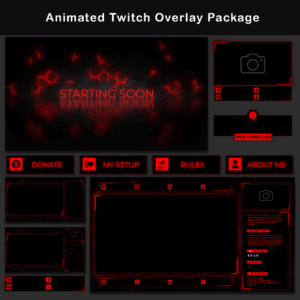
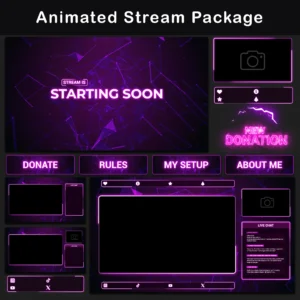
Stream Overlay Pack – What’s Included
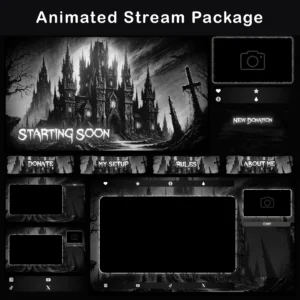
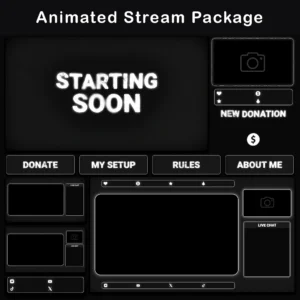
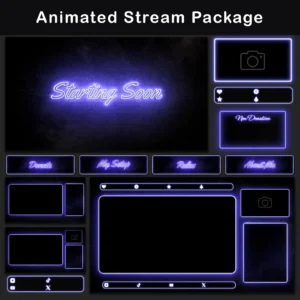
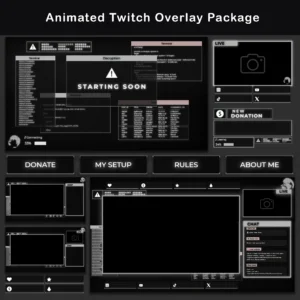
This Stream Overlay Pack brings a grunge minimalist aesthetic to every element of a streaming setup. Built around heavy grain textures, chromatic aberration on sharp RGB edges, and brutalist typography, this package creates a raw, textured visual identity that stands apart from the polished, clean-cut streamer designs flooding the market.
The Grunge Minimalist Twitch Overlay Pack (Static Edition) delivers 40+ coordinated static overlays covering an entire channel — from stream screens and webcam frames to alerts and channel panels – all sharing the same distressed, high-contrast visual language.
Key Features
- Heavy grain texture on every asset – the dense grit layer creates a consistently distressed surface across all screens, panels, and overlays. This Stream Overlay Pack replaces sterile, flat-colored backgrounds with a roughened, tactile aesthetic that carries through the entire channel.
- Minimalist composition with brutalist typography – massive, geometric letterforms serve as focal points on stream screens, while the stripped-down layout keeps gameplay and camera feeds front and center. Less decoration means the viewer’s eye stays on the content, not on overcrowded borders.
- Chromatic aberration and RGB edge detail – visible color-channel shift on text edges adds visual aggression without relying on neon saturation or color gradients. Each letterform fractures at the edges, reinforcing the grunge character of this Stream Overlay Pack across every asset.
- 40+ assets in one cohesive visual system – panels, alerts, overlays, webcam borders, and stream screens all follow one art direction. Mixing elements from different sources creates a mismatched look; this pack eliminates that problem by default.
- Zero CPU/GPU overhead – static PNG format requires no video decoding. This Stream Overlay Pack runs alongside demanding games without measurable frame drops, even on mid-range hardware.
Package Contents

Stream Screens (4)
PNG — Be Right Back, Offline, Starting Soon, Stream Ending. Full-screen scenes for every transition state, keeping the channel active and branded even during breaks.
Premade Overlays (3)
PNG, alpha channel — Gameplay and Chatting scenes — with camera and without camera. Pre-built compositions eliminate the need to arrange individual layers. Each overlay is ready to drop into OBS Studio or Streamlabs as a complete scene.


Channel Panels (10)
PNG — About Me, Commands, Discord, Donate, F.A.Q, My Setup, Rules, Schedule, Socials, Subscribe. A complete panel set gives the channel page a finished, cohesive appearance with grunge-styled sections for every standard info block.
Chatbox Overlays (4)
PNG — Two solid and two transparent versions (75% and 95% opacity). Multiple opacity settings let each streamer balance chat readability against background visibility for their specific layout.


Social Media Bars
PNG — Discord, Instagram, TikTok, Twitch, X (Twitter), YouTube. Individual platform bars allow displaying only the relevant social accounts — no unused filler icons taking up screen space.
Stream Alerts (6)
PNG — New Donation, New Follower, New Host, New Raid, New Subscriber, New Cheer. A full alert set for every major viewer interaction. Each notification graphic matches the grunge aesthetic of this Stream Overlay Pack.


Webcam Overlays (2)
PNG — 16:9 and 4:3 aspect ratios. Two standard webcam formats cover the most common camera setups, with borders matching the overall brutalist design language.
Stream Labels
PNG — Latest stream events – Follower, Sub, Donation, Cheer. Real-time event labels display live viewer activity on screen with consistent grunge styling. Total Assets: 40+.
Technical Specifications
- File Format: PNG (static)
- Stream Screens Resolution: 1920×1080
- Premade Overlays Resolution: 1920×1080 (with alpha channel for camera and gameplay scenes)
- Other Assets: Industry-standard dimensions
- Total Assets: 40+
- Compatibility: OBS Studio, Streamlabs, StreamElements, and any software supporting transparent PNGs
Important Notes
- All files are rasterized PNGs — text, headers, and design elements cannot be edited within the files.
- The color palette is fixed. Colors cannot be changed via the source files. Advanced users can experiment with color correction filters directly in OBS or Streamlabs.
- Installation is manual: add files via drag-and-drop or Image Source in streaming software. This Stream Overlay Pack does not include automatic Scene Collection import — that feature is exclusive to the animated Premium version.
- No audio files are included.
Looking for the full animated version with seamless loops and a dedicated Stinger transition? Check out the Animated Version of This Pack for the complete experience with auto-install Scene Collections.
FREQUENTLY ASKED QUESTIONS (CLICK TO EXPAND) ▼
Are the graphic files (texts, headers) editable?
No. Every file in this static pack is a rasterized .PNG with a locked design layer. The brutalist typography and grain textures are permanently rendered into the image — there is no source file or text tool to modify them. Streamers who want custom text on stream screens can add a separate Text Source directly in their streaming software, positioning it over the existing graphic. The original grunge lettering underneath would need to be covered or hidden in that case.
What does the installation process look like? Is there an installer?
There is no automatic installer or .exe file. This Stream Overlay Pack uses a manual setup method: open the streaming software, create a new Scene, and add each .PNG file as an Image Source. Individual elements — webcam frames, chat overlays, alert graphics — are placed and scaled by hand. For a faster start, the four included premade overlay compositions can be loaded as single full-screen images, skipping the element-by-element arrangement entirely.
Do these overlays cause FPS drops or lag the computer?
The performance impact is effectively zero. Unlike animated overlays that require continuous video decoding, static .PNG files sit in memory as flat images. The CPU and GPU treat them the same way they treat a desktop wallpaper — once loaded, they consume no processing cycles. This makes the set safe to run even on older streaming rigs where every frame counts during gameplay.
Is the overlay one large image, or is it made of separate parts?
Both. This Stream Overlay Pack is modular — webcam borders, chat boxes, alert graphics, social bars, and panels are all individual .PNG files that can be arranged freely. On top of that, four premade overlay compositions are included for Gameplay and Chatting scenes (with and without camera). These premade files combine multiple layers into a single ready-to-use image, so there is no manual positioning required to get started.
What is the resolution of these graphics?
Stream Screens and Premade Overlays are rendered at a native resolution of 1920×1080 pixels, matching the standard Full HD canvas used by OBS Studio and Streamlabs. Remaining assets — panels, alert graphics, social bars, webcam borders, chat overlays, and stream labels — follow industry-standard dimensions for their respective categories. All files are pixel-sharp with no upscaling artifacts.
Does this product work only on Twitch?
No. This Stream Overlay Pack works on any live-streaming platform — YouTube, Kick, Facebook Gaming, and others. The files are standard .PNG images with no platform-specific code or integration. Any service that displays a video feed with overlay layers can use these graphics. The grunge minimalist design language reads the same regardless of which platform the audience watches on.
Which streaming software is compatible with this pack?
Any application that supports .PNG image files with transparency will work. This includes OBS Studio, Streamlabs Desktop, StreamElements (OBS.Live), XSplit, Lightstream, and vMix. Because the files use a standard alpha channel for transparency rather than a proprietary format, there are no software-specific restrictions or plugin requirements.
Can I change the color scheme of the overlays?
The grain textures, RGB edge accents, and monochromatic palette of this Stream Overlay Pack are baked into the .PNG files and cannot be swapped with a single click. The heavy chromatic aberration on the typography is part of the rendered image data, not a live filter. Advanced users can apply Color Correction or Hue Shift filters inside OBS or Streamlabs to push the overall tone warmer or cooler, but results will vary depending on the density of the grain layer in each asset.
Is a webcam frame included in the set?
Yes. The Grunge Minimalist Twitch Overlay Pack (Static Edition) includes two separate webcam border files — one in 16:9 and one in 4:3 aspect ratio. Both carry the same heavy grain surface and brutalist edge treatment as the rest of the asset set. The webcam source is placed behind the frame layer in OBS or Streamlabs, so the border sits on top of the camera feed with transparency intact around the viewing area.
What is the difference in installation between this version and the animated (full) version?
This Stream Overlay Pack requires manual placement of each element as an Image Source inside the streaming software. The animated Premium version of this design includes dedicated Scene Collection files (.json for OBS Studio, .overlay for Streamlabs) that automate the entire import — all scenes, sources, and layer positions load in seconds with only minor adjustments needed afterward. If speed of setup and animated effects like seamless loops and a Stinger transition matter, the animated version covers both.
Discover More Professional Streaming Overlays
- Sale!

Animated Pink Twitch Overlay Package | Minimalist Stream Overlay Pack
Original price was: $19.97.$10.97Current price is: $10.97. - Sale!
Retro Twitch Overlay Pack | Animated Orange Grid Stream Package
Original price was: $19.97.$10.97Current price is: $10.97. - Sale!
Twitch Overlay Pack – Animated Gothic Monochrome Grunge
Original price was: $19.97.$10.97Current price is: $10.97. - Sale!
Stream Overlay Package – Animated Dark Minimalist Grunge
Original price was: $19.97.$10.97Current price is: $10.97. - Sale!
Neon Twitch Overlay Package | Animated Stream Pack
Original price was: $19.97.$10.97Current price is: $10.97. - Sale!
Twitch Overlay Pack – Animated Neon Blue Minimalist
Original price was: $19.97.$10.97Current price is: $10.97. - Sale!
Twitch Overlay Package – Animated Retro 80s CRT Terminal
Original price was: $19.97.$10.97Current price is: $10.97. - Sale!
Animated Black and White Twitch Overlay Package | Minimalist
Original price was: $19.97.$10.97Current price is: $10.97.