

Animated Stream Overlay
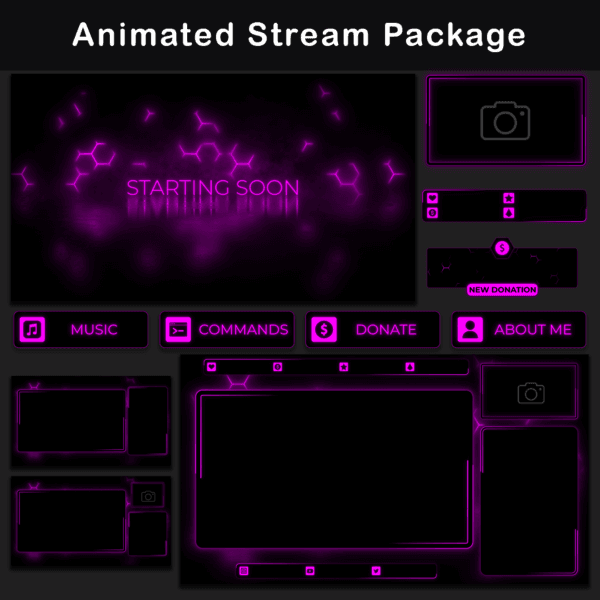
Animated Stream Overlay with a pink and purple color scheme, featuring clean geometric shapes and smooth glow effects. The overlay uses vibrant gradients that blend pink and purple tones, creating a modern and dynamic look. The animations include subtle pulsing and flowing motion, adding depth without distracting from the main content.
Included in the package:
– Animated Twitch Screens (+PNG): Starting Soon, End, BRB, and Offline (static)
– Animated Intermission Screens (+PNG): Multiple gameplay layouts with and without camera and chat boxes
– Animated Alerts (+PNG): New Cheer, Donation, Follower, Host, Raid, Subscriber
– Animated Webcam Overlays (+PNG): Formats for 4:3 and 16:9 webcams
– 38 Twitch panels
– Animated Bars (+PNG): Social media and stream support labels
– 6 Animated Twitch ChatBoxes (+PNG)
– Twitch Transition Stinger
– Additional blank frames
The package is fully compatible with OBS Studio and Streamlabs, and includes pre-prepared files optimized for easy import, allowing for a streamlined setup process without additional configuration.
Technical Details:
- Screen Duration: 10s long .MP4
- Intermission Screens: .WebM format
- Resolution: 1920×1080 pixels
- Alerts Duration: 5s long .WEBM
Note:
- Preview .WEBM files in streaming software or web browser.
- Texts are not editable.
- Alerts and overlays do not include sound.
- This package is provided in English.
The Animated Stream Overlay features neon-inspired pink and purple tones combined with geometric patterns and subtle particle effects. The background animations consist of flowing lines and soft glows, creating a layered effect that adds depth without overpowering the stream content.
The animated alerts use bright neon text with a flickering glow, combined with lightning effects to highlight key moments like new followers, donations, and raids. The webcam frames come in both 16:9 and 4:3 formats, outlined with smooth glowing borders that pulse gently to maintain visual consistency with the overall aesthetic.
Intermission screens include various layouts that integrate camera and chat boxes with matching animated frames, maintaining a cohesive look across different scenes. The chatboxes offer multiple opacity levels, ranging from fully transparent to solid backgrounds, allowing streamers to choose the most suitable option for their setup.
The transition stinger features a diagonal split animation with glowing edges that move across the screen, providing a clean and smooth transition between scenes.
All elements are designed with a focus on maintaining a consistent pink and purple color palette, complemented by glowing effects and clean animations that enhance the overall visual coherence of the stream.