What Makes This Horror Grunge Stream Overlay Pack Stand Out
This stream overlay pack delivers a raw horror grunge aesthetic built on crimson red tones, film damage effects, and stop-motion animation. The Animated Horror Grunge Stream Overlay Pack wraps distressed typography, animated scratches, and dense film grain into a full animated stream overlay setup for dark content creators. Every element, from screens to alerts to panels, shares the same monochromatic blood-red palette and gritty texture.
Key Features
- Film Damage Animation Style: Every animated element carries film scratches, heavy grain, and flickering light effects that simulate a deteriorating analog film reel. The result is a unified visual identity across all live scenes, replacing mismatched stock elements with a single, recognizable channel aesthetic.
- Stop-Motion Jitter Effect: The animation runs at a deliberately reduced framerate with a line boiling technique, producing a nervous, handcrafted motion across every frame and screen. The effect creates constant visual tension without relying on sudden jumps or loud sound cues.
- Unified Crimson Red Color Grading: A deep blood-red monochromatic palette runs through every piece in this stream overlay pack. Shadows fall into dirty carmine instead of pure black, reinforcing a suffocating, grunge-heavy look. No manual color matching is needed; every asset shares the same graded tones.
- One-File Scene Import: Pre-built scene collection files for OBS Studio and Streamlabs handle the entire layout automatically. Import one JSON file, and all animated twitch overlays, screens, and alerts snap into their correct positions. Hours of manual setup reduced to seconds.
- Modular Layout Options: Six overlay configurations cover gaming with a facecam, just-chatting, and camera-free scenarios. Webcam frames ship in both 4:3 and 16:9 formats. Switching between setups takes one click without rebuilding scenes.
Package Contents

Animated Screens (3x)
MP4, PNG — Starting Soon, BRB, and Stream Ending screens, plus an Offline screen (static PNG). These screens keep the horror grunge identity consistent between live segments.
Animated Overlays (6x)
WebM, PNG — Six stream overlay layouts with and without camera and chat boxes. These configurations handle every standard streaming scenario without breaking the distressed visual style.


Animated Alerts (6x)
WebM, PNG — Cheer, Donation, Follower, Host, Raid, and Subscriber alerts. Each alert fires with the same film damage jitter, keeping viewer interactions visually consistent with the rest of the stream overlay pack.
Webcam Frames (2x)
WebM, PNG — Animated webcam frames in 4:3 and 16:9 aspect ratios. Each frame wraps the camera feed in distressed, flickering borders that match this twitch overlay set.


Twitch Panels (30+)
PNG — About, Rules, Donors, Setup, Socials, and more. Over thirty panels in the same grunge style, extending the dark aesthetic to the channel page below the stream.
Stream Labels and Social Bars (14x)
WebM, PNG — Display follower, latest subscribers, and social links without cluttering the obs stream overlay layout.


Chatboxes (4x)
WebM, PNG — Two transparent (75% opacity) and two solid background chatboxes. Pick the version that fits each scene’s visual density.
Stinger Transition (1x) & Extra Blank Frames
WebM — A dedicated animated scene transition matched to the horror grunge style. Transition timing imports automatically with the scene collection file.
Blank frames and a textless animated background for custom text placement via OBS text sources. Useful for adding personalized titles or stream info with any font.

Technical Specifications
- Resolution: 1920x1080px (Full HD)
- Screen Duration: 10 seconds (MP4)
- Overlay Loop Duration: 10 seconds seamless loop (WebM)
- Alert Duration: 5 seconds (WebM)
- Stinger Duration: 2 seconds (WebM)
- Static Assets: PNG with transparency
- Language: English
- Compatibility: OBS Studio, Streamlabs Desktop
- Get Started: After purchase, download the package and import the included scene collection file into OBS Studio or Streamlabs. All elements position themselves automatically. A PDF setup guide is included with the download.
Important Notes
- Preview WebM files by dragging them into a web browser (Chrome or Firefox) or by loading them directly into streaming software. Windows video players do not render the alpha channel correctly and may display distorted colors. This is not a file defect.
- The text on animated screens and alerts is not editable. Blank background versions are included for custom text placement through OBS text sources.
- Alerts and animated overlays do not include sound effects. Audio can be assigned separately through alert settings in streaming software.
- This stream overlay pack is provided in English.
Discover More Professional Streaming Overlays
- Sale!

Twitch Overlay Pack – Animated Dark Grunge Minimalist
Original price was: $15.97.$10.97Current price is: $10.97. - Sale!
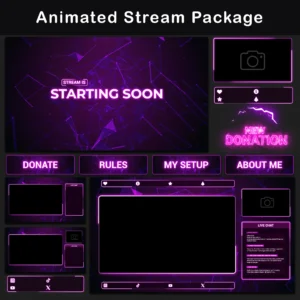
Stream Overlay Package – Animated Minimalist Pink-and-Purple Neon Glow
Original price was: $19.97.$10.97Current price is: $10.97. - Sale!
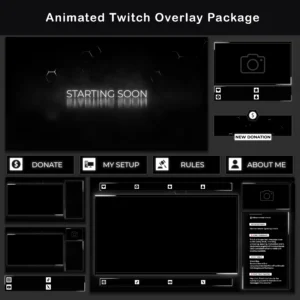
Twitch Overlay Pack – Animated Black and White Neon Glow
Original price was: $19.97.$10.97Current price is: $10.97. - Sale!
Stream Overlay Pack – Animated Horror Grunge for Twitch
Original price was: $19.97.$10.97Current price is: $10.97.Price in the last 30 days is the same as current - Sale!
Stream Overlay Pack – Animated Retro 95 CRT Pixel
Original price was: $19.97.$10.97Current price is: $10.97. - Sale!
Twitch Overlay Pack – Animated Minimalist Neon Plexus
Original price was: $19.97.$10.97Current price is: $10.97. - Sale!
Glitch Animated Stream Overlay | Black and White OBS Pack
Original price was: $19.97.$10.97Current price is: $10.97. - Sale!
Twitch Overlay Black White Anime Catgirl | Grunge Pack
Original price was: $19.97.$10.97Current price is: $10.97.