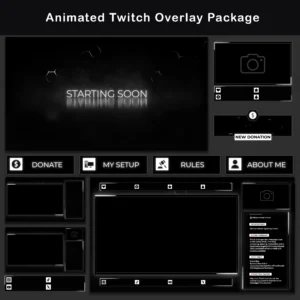
Generate gamertags, gamer names, and stream handles for Twitch, TikTok LIVE, Xbox, PSN, Steam, and Discord, and browse matching stream overlays next to your results.
Generated Name Ideas
Availability links open public platform pages directly so you can verify before creating your account. We never guess or fake "Available" badges.
Got your name? Now make your stream look the part
Stream overlays, alerts, and webcam frames ready for OBS Studio, Streamlabs & TikTok LIVE.
How Do You Pick a Gamertag or Streamer Name People Remember?
A strong gamer name is easy to read in a lobby scoreboard, quick to pronounce in voice chat, and flexible enough to stay with you as your games change. Unlike a generic password tool, a username generator for gamers skips unreadable symbol clutter and letter-for-number swaps that viewers forget how to spell after hearing once on stream.
Run every candidate through three quick checks before you lock it in:
- Say it out loud once: Two or three syllables are easy to say in a hurry when teammates make a callout or another creator reads a raid shoutout. If someone pauses to ask how to pronounce it, try a shorter word pair.
- Skip single-game titles and dates: Naming yourself after this year’s main shooter or adding a birth year ages quickly when you switch genres or start streaming variety content. A neutral root word gives you room to grow.
- Keep one core name across platforms: Using the same spelling on your console profile, chat app, and live stream means viewers can search for you once and find every channel.
Start in the generator above by picking one of the six curated style banks (Competitive, Cyberpunk / Neon, Cozy, Dark / Horror, Retro, or Minimal). Every click gives you a fresh random batch of 10 names with a More names button to reveal 10 more, and leaving the Numbers & suffixes switch off on your first pass helps you spot plain base names first before adding an optional keyword.
What Are the Platform Name Rules and Character Limits?
Every major gaming and streaming platform enforces different length caps and character rules. Checking the tightest limit up front keeps you from building a channel around a handle that gets cut off or altered on another account.
- Twitch: Usernames must be 4 to 25 characters long (see Twitch Help).
- TikTok LIVE: Usernames must be 2 to 24 characters and can use only letters, numbers, underscores, and periods, with no period at the end (see TikTok Support).
- Xbox Gamertag: Allows up to 15 characters for a unique gamertag using Latin letters and numbers, or up to 12 characters when the name is shared (Xbox reserves three characters for an automatic
#suffix) or uses non-Latin scripts, and cannot start with a number (see the Xbox Gamertag Update FAQ). - PlayStation (PSN): Online IDs on PS5 and PS4 are 3 to 16 characters made up of letters, numbers, hyphens, and underscores, and must start with a letter; see PlayStation Support for steps to change an existing ID.
- Steam Profile: Display names allow up to 32 characters, can be shared across multiple accounts, and can be updated anytime in Profile Settings (see Steam Support).
- Discord: Usernames must be 2 to 32 characters (1 to 32 characters for server nicknames) using lowercase letters, numbers, underscores, and periods, and cannot contain
@,#,:, triple backticks, ordiscord(see Discord’s username guide).
Which Naming Patterns Work Well for Gaming and Streaming?
Simple naming formulas beat random filler digits and symbols when you want a handle that holds up across channels. The tool combines words across four patterns:
- Adjective + Noun (
ApexKestrel,ChromeCipher,MapleLantern): Pairing a clear modifier with a concrete noun creates an instant picture that holds up on stream titles and match scoreboards. - Word Blends (
Frostix,Lumex,Velvix): Joining a short word stem with a crisp tail keeps handles compact, which helps when you want a short tag or need to stay under Xbox’s 12-character shared limit. - Alliteration (
PixelPanther,SilentSentry,CloverCloud): Matching starting letters give a handle natural rhythm so people remember it faster after hearing it in squad chat. - Prefix, Suffix, and Stream Tags (
NeoPulse,VoidGate,KestrelTV,NovaLive): Adding a directional prefix or togglingNumbers & suffixeson attaches creator tags likeTV,Live,GG, or short two-digit numbers when a bare root word is already claimed.
You can steer those patterns toward any style. For cool, stripped-back names, pick Competitive, Cyberpunk / Neon, Dark / Horror, or Minimal. If you want something warmer, choose Cozy to pull from nature and light word sets and pair it with a favorite color or plant in the keyword box. For funny names, enter an everyday food, pet, or gaming word like Waffle, Toast, or Lag and click More like this on any unexpected match to spin variations.
How Do You Check If a Gamer Name Is Actually Available?
Some generators label names “Available” next to generated results, but public page checks cannot reliably prove a handle is free. A missing profile page does not tell you whether a name belongs to a suspended account, sits on an inactive profile, falls under a platform’s reserved list, or fails a content filter at signup.
That is why each card here includes a Check menu with direct links to public profile URLs on Twitch and TikTok (plus Xbox when Xbox is selected). Opening those links shows you right away if an active channel or profile already uses that exact URL. Steam display names can be shared by multiple accounts, while PlayStation (PSN) and Discord check handle availability inside the console or app rather than on public URLs, so always test your favorite picks directly inside each platform’s registration or rename screen before locking in your social handles or channel graphics.
Why Your Streamer Name and Stream Look Belong Together
Your name shows on your webcam frame, alerts, and starting screens, so it helps if it matches the overlay’s look. A sharp esports tag fits naturally inside a dark red HUD, while a soft nature handle belongs next to pastel frames or pixel terminal borders. Matching VelesDC stream overlays appear right next to the results across all six styles, and if you want ready-to-import scenes and alerts for OBS Studio, Streamlabs, or TikTok LIVE, browse VelesDC’s stream overlays.
Frequently Asked Questions
Does this gamertag generator use AI or require an account?
No. The tool runs locally in your browser using curated English word banks across six styles, with no AI prompts, logins, or CAPTCHAs. When you click the heart button on a name, your shortlist stays only in your browser’s local storage while you compare options.
Are any 4-letter Xbox gamertags still available without numbers?
Short four-letter names without a number suffix are hard to get because Xbox automatically adds a # numeric suffix whenever a chosen name is already in use (support.xbox.com). You can still pick a four-letter gamertag even if someone else owns it, and that # suffix keeps accounts distinct. The only reliable test for an un-suffixed name is Xbox’s own profile name-change screen, where Xbox checks availability before you confirm. Try scanning Word blend results in Xbox mode to find short combinations to test there.
Should I add numbers or _TV and Live suffixes to my gamer name?
Use suffixes only when your base name is taken, and pick stream tags over random digits. Tags like Live, TV, or GG tell viewers where you stream and are easier to say in voice chat than trailing numbers like 4829. Keep the Numbers & suffixes switch off while browsing base ideas, then turn it on only when you need available variations.
Can I change my gamertag or Twitch username later if I pick the wrong one?
Most platforms allow renames, though cooldowns and fees apply. Twitch lets you change your username once every 60 days, and your old channel URL does not redirect to the new name (help.twitch.tv), TikTok allows username changes once every 30 days (support.tiktok.com), and Xbox includes one free gamertag change before charging a fee (support.xbox.com). Because renames break old links and viewer habits, choose a flexible root name before updating your channel pages.
Can I use the same gaming name across Xbox, PlayStation, Steam, Twitch, and TikTok?
Yes, as long as you build around the strictest platform you plan to use. Keeping your base name to 4 to 12 letters and numbers with no spaces gives you the highest chance of matching across console networks and longer streaming profiles. If one social platform already has your exact name claimed, adding a short suffix like Live or TV keeps the core handle recognizable without changing how people pronounce it.
How do I check if a name works visually before setting up OBS Studio, Streamlabs, or TikTok LIVE?
Check the character count badge on each name card to see whether a longer name fits comfortably or needs a shorter cut, and open the matching overlays shown next to the results across all six styles to see how each frame layout looks. Testing the length visually helps catch text crowding before you configure scenes or alerts in your streaming software.