
Minimal Twitch Chat Widget with Event Cards and 7TV Emotes
A crowded chat box can cover your gameplay or camera. This widget keeps each message separate and lets you decide how many stay on screen, for how long and where they sit, all from the widget’s settings panel, without editing code.
Chat Widget Settings
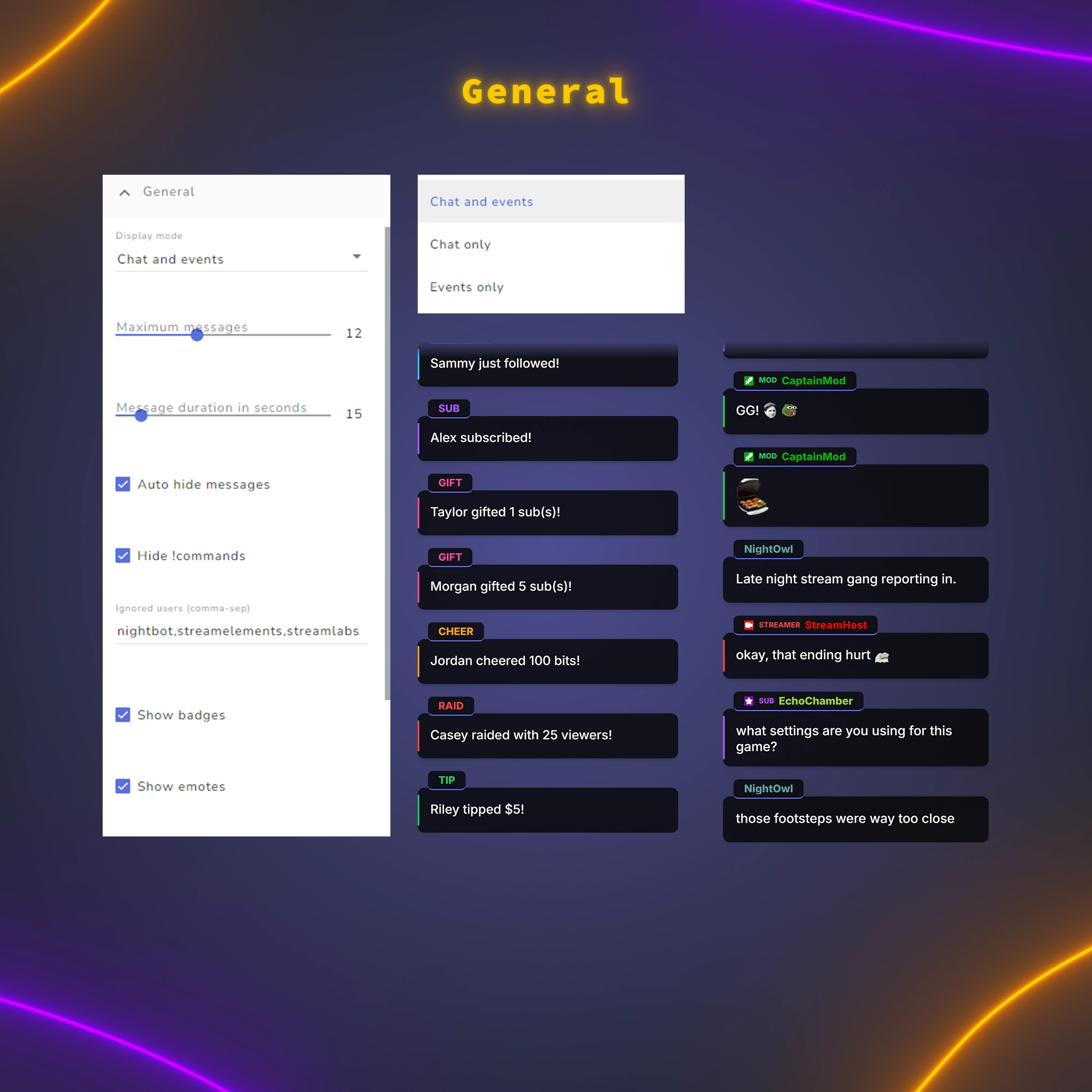
General
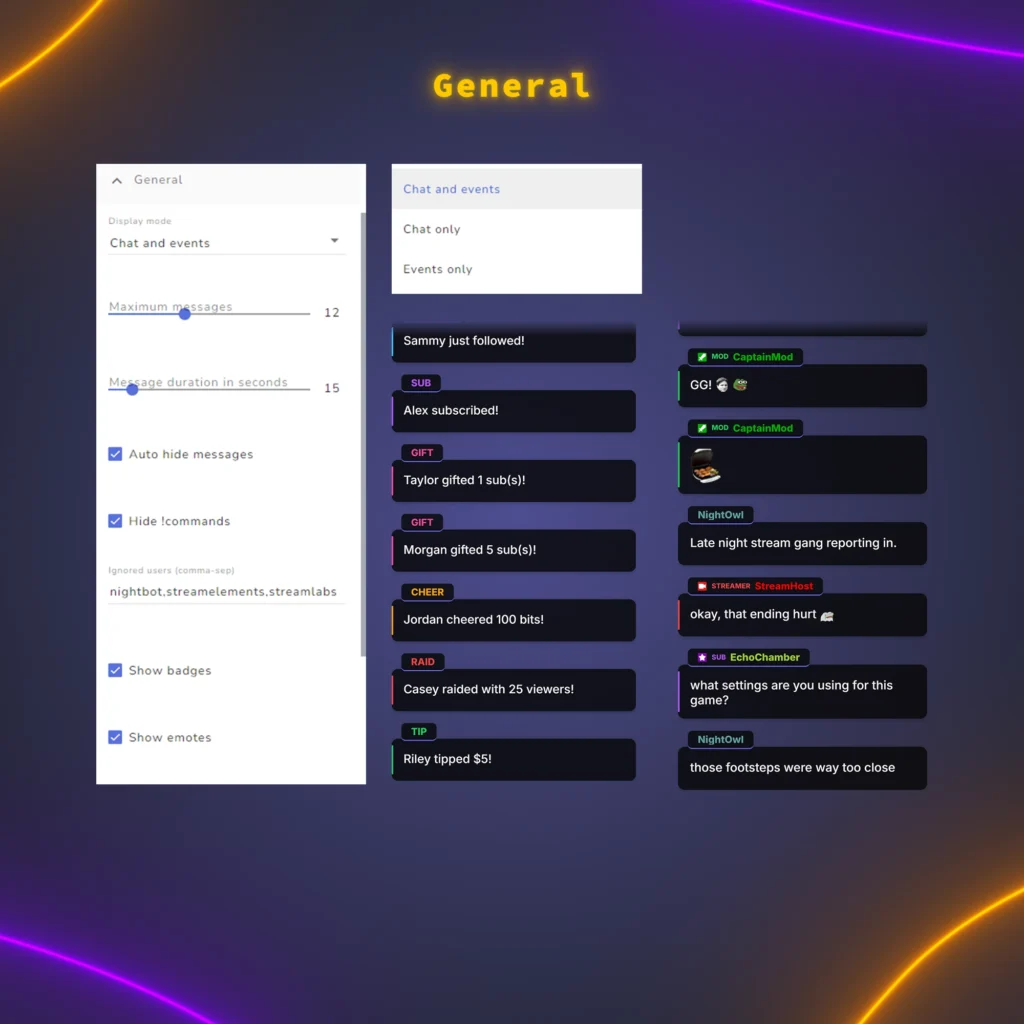
Decide what goes on screen. Show chat and events together, only chat or only events, choose how many cards stay up and for how long, and keep the feed clean by hiding !commands and bots such as Nightbot or any name you add.
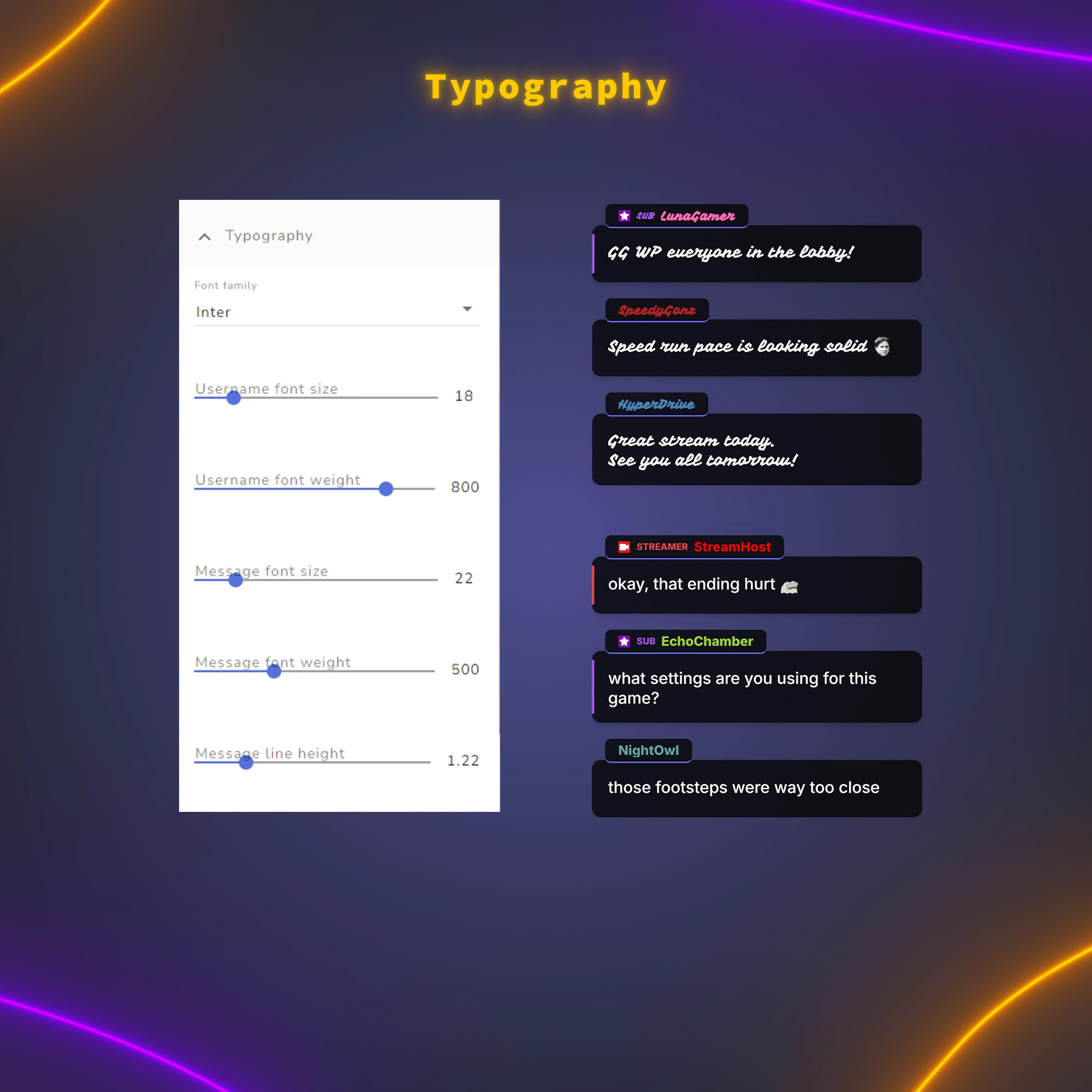
Typography
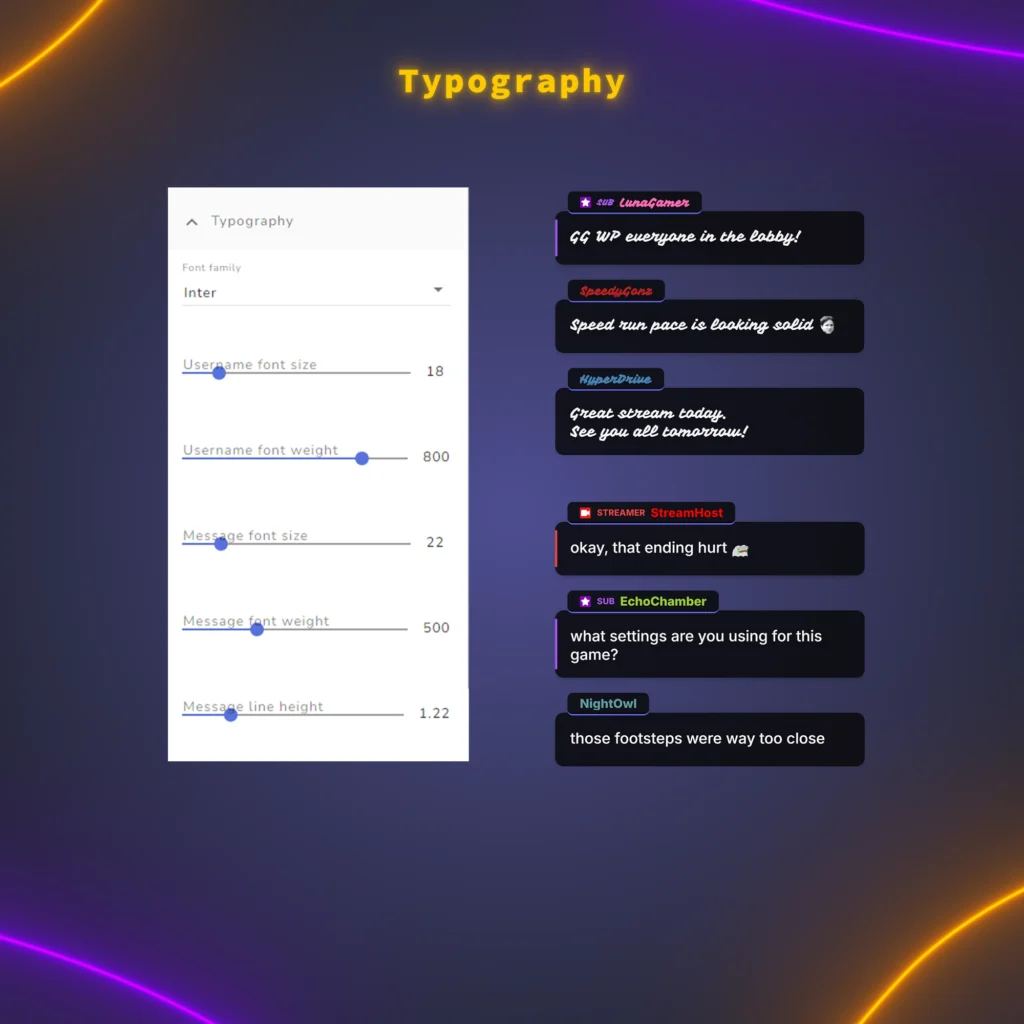
Pick any Google Font and set the size and weight of names and messages separately, with adjustable line spacing, so the text fits the rest of your overlay.
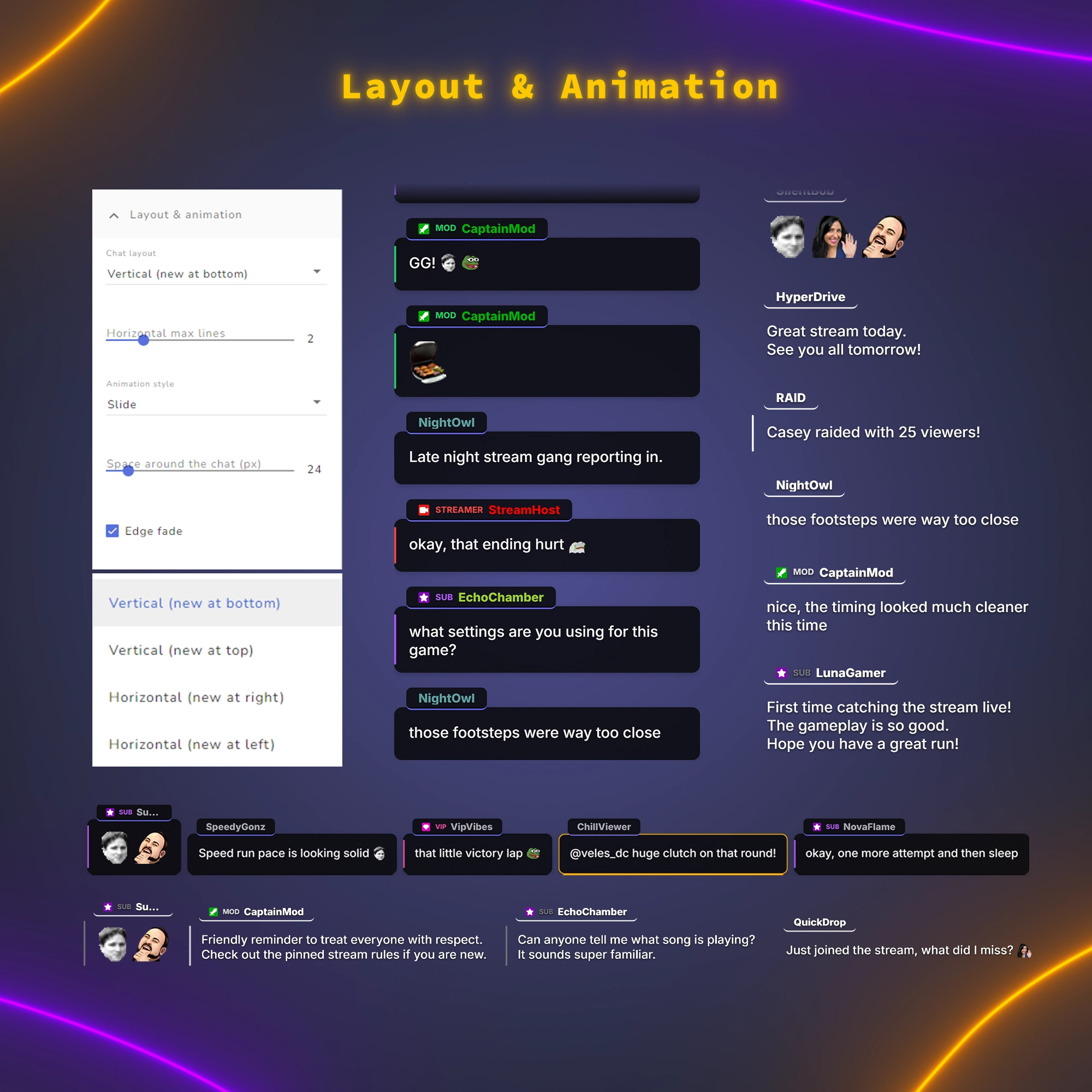
Layout & Animation
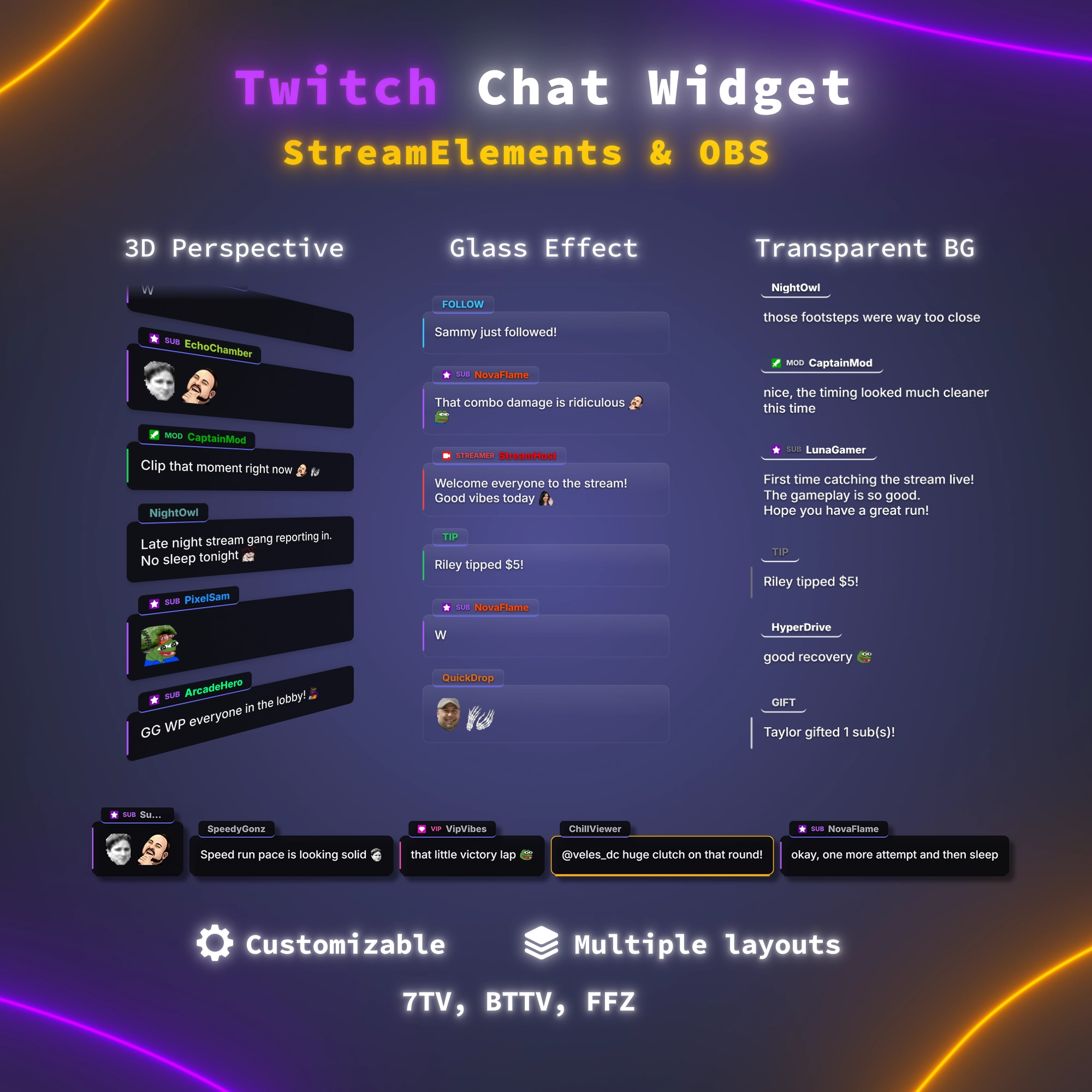
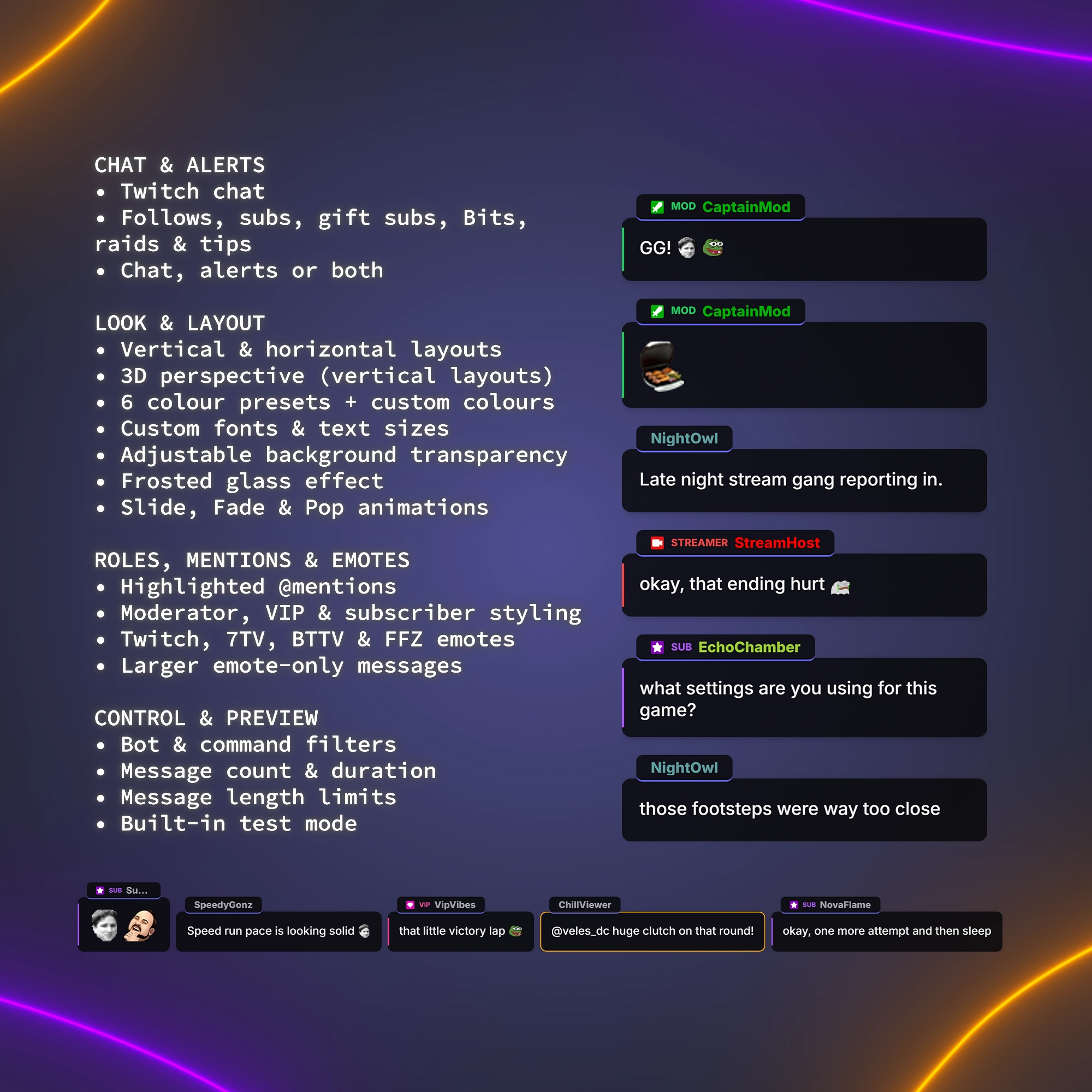
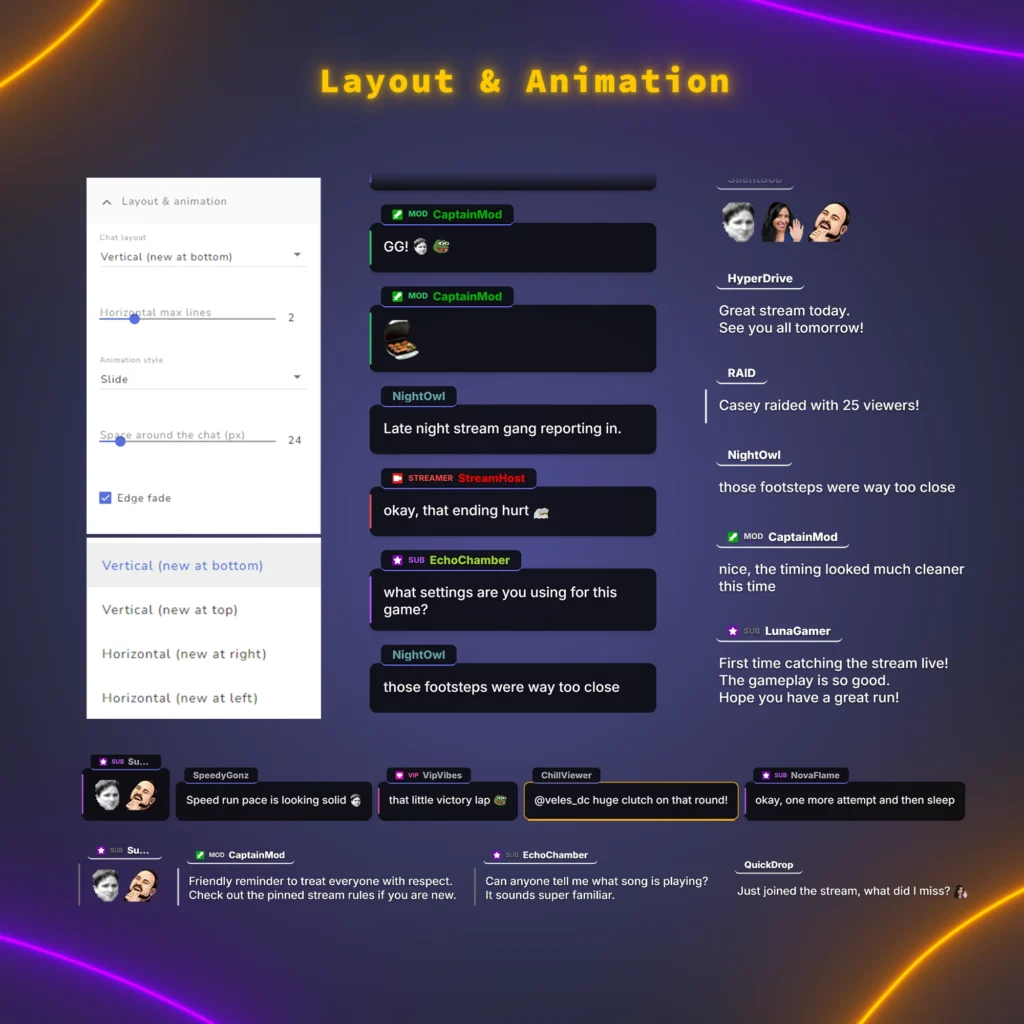
Put chat where your scene has room: a vertical column with new messages at the bottom or top, or use it as a horizontal chat widget, a strip with new messages from the right or left and up to six lines of text. Cards slide, fade or pop in, or appear without animation, and a soft fade hides older messages at the edge.
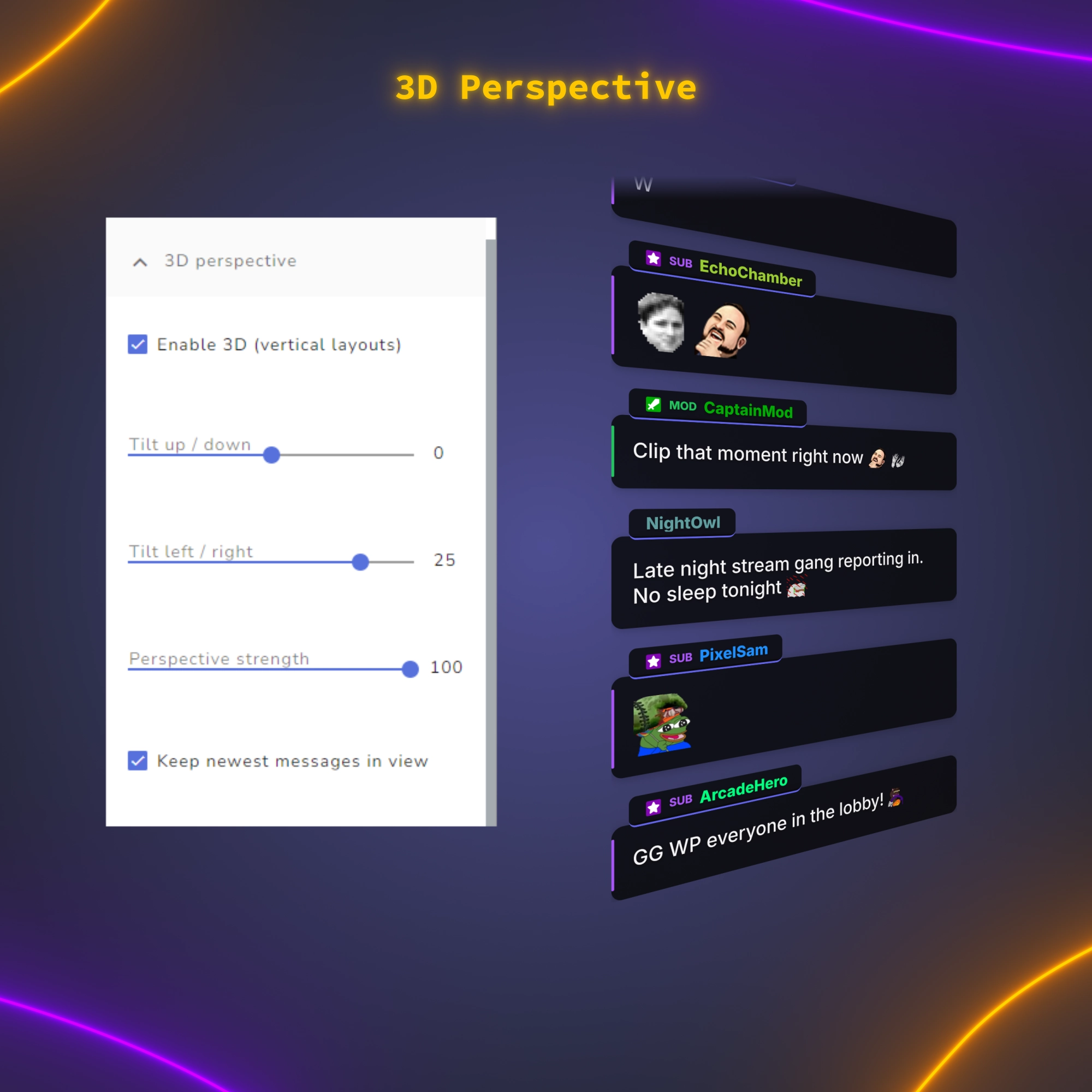
3D Perspective
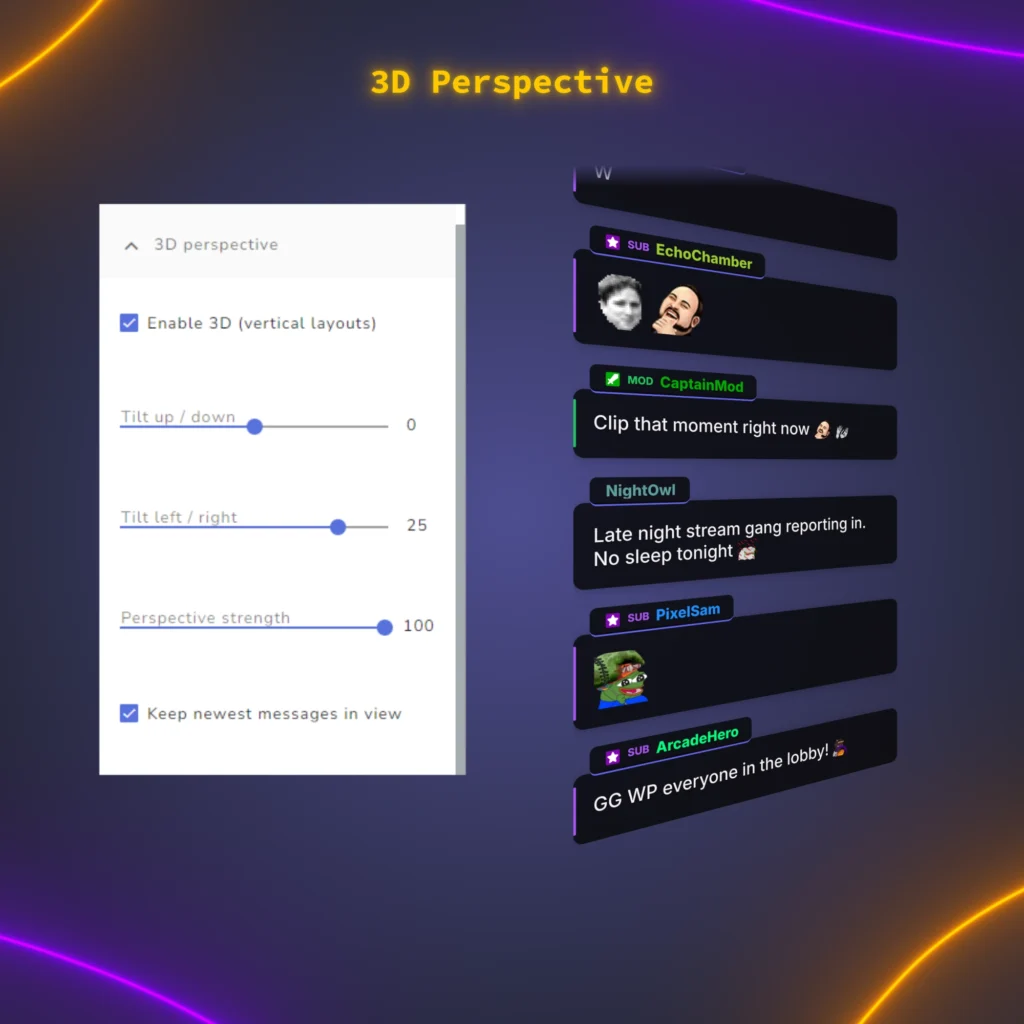
Tilt a vertical chat into a 3D angle so it looks like a panel standing in your scene. Set the tilt up or down, left or right and the perspective strength. With “Keep newest messages in view” on (the default), the newest messages stay visible while the farthest ones fade out softly instead of being cut off. Works in both vertical layouts, and one switch turns the chat flat again.
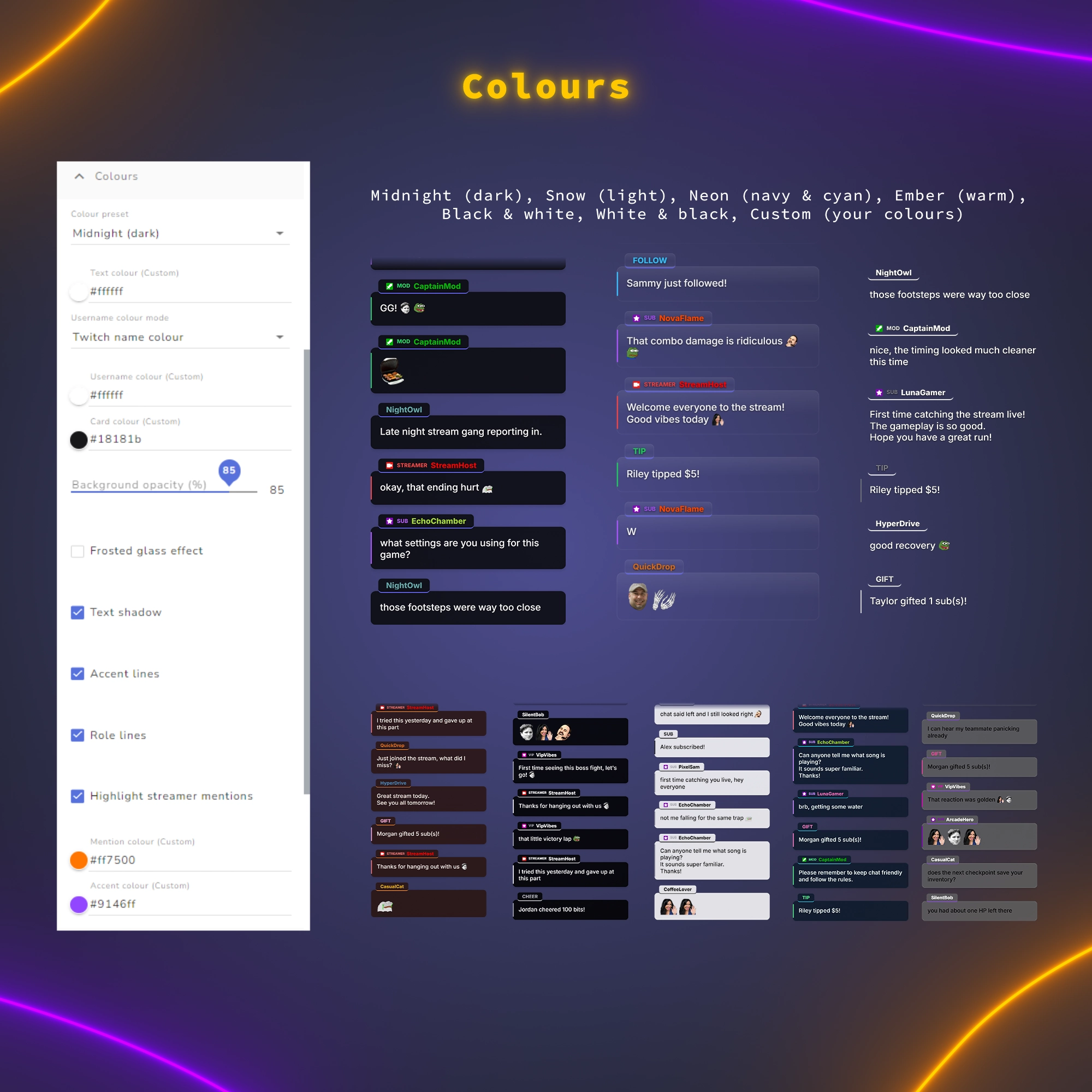
Colors & Frosted Glass
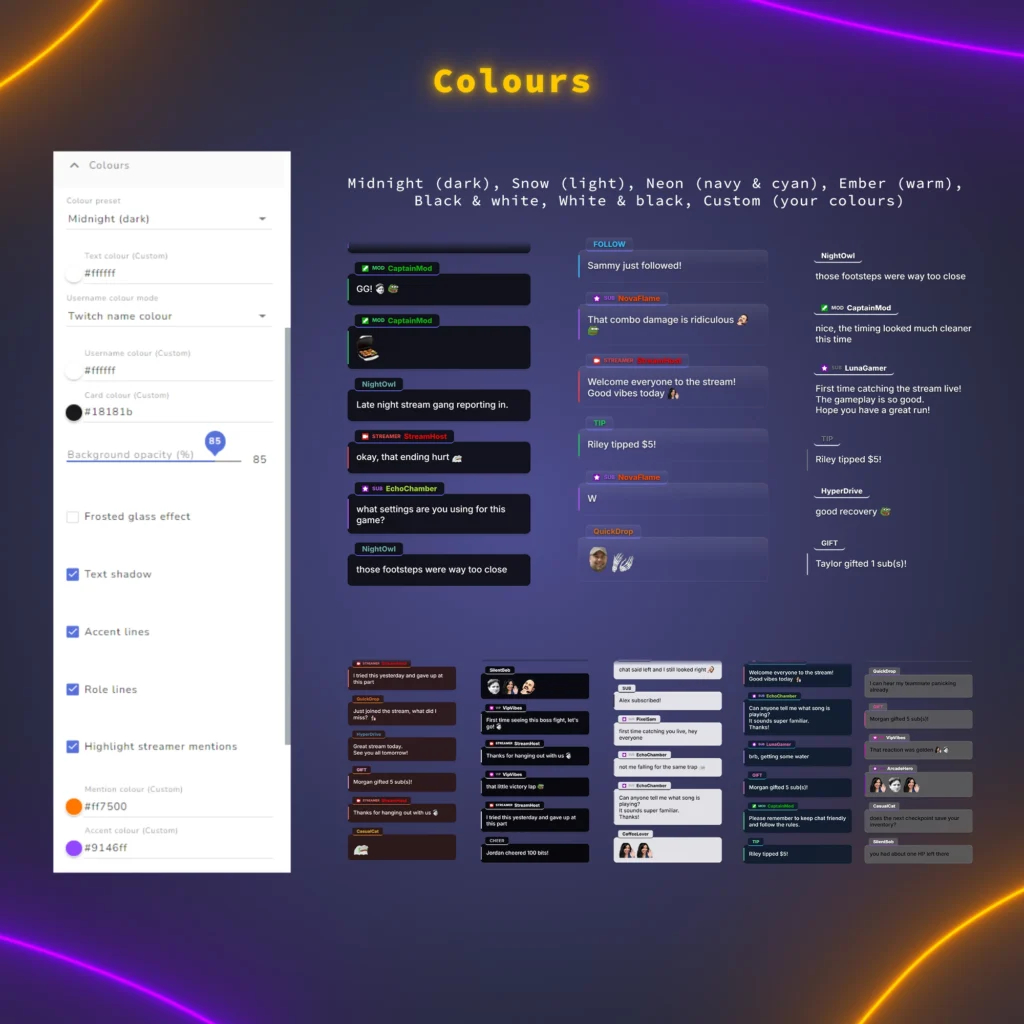
Start from six ready-made themes, including dark, light and warm looks, or set your own colors for text, names, cards, accents and mentions to match your stream. Lower the background to fully transparent when chat sits over gameplay, add a text shadow to keep it readable, and frame messages that mention your channel so you notice them at once. Turn on the frosted glass effect for a soft sheen and a thin light edge on cards and name tabs: it works with every color preset, stays visible even on a fully transparent background and does not blur the game behind the chat.
Roles
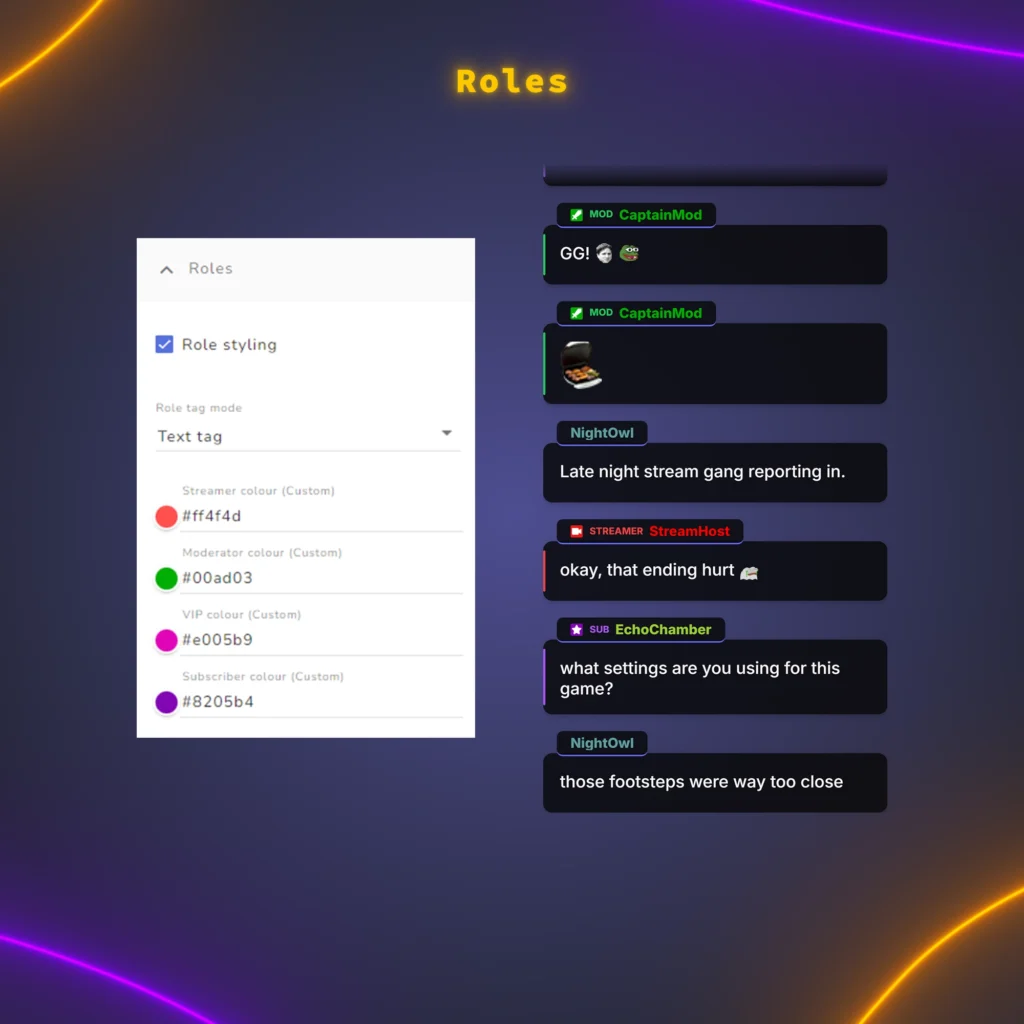
STREAMER, MOD, VIP and SUB tags and colored role lines show viewers who is talking, with each role in its own color in custom mode. When a viewer has several roles, the highest one is shown.
Events
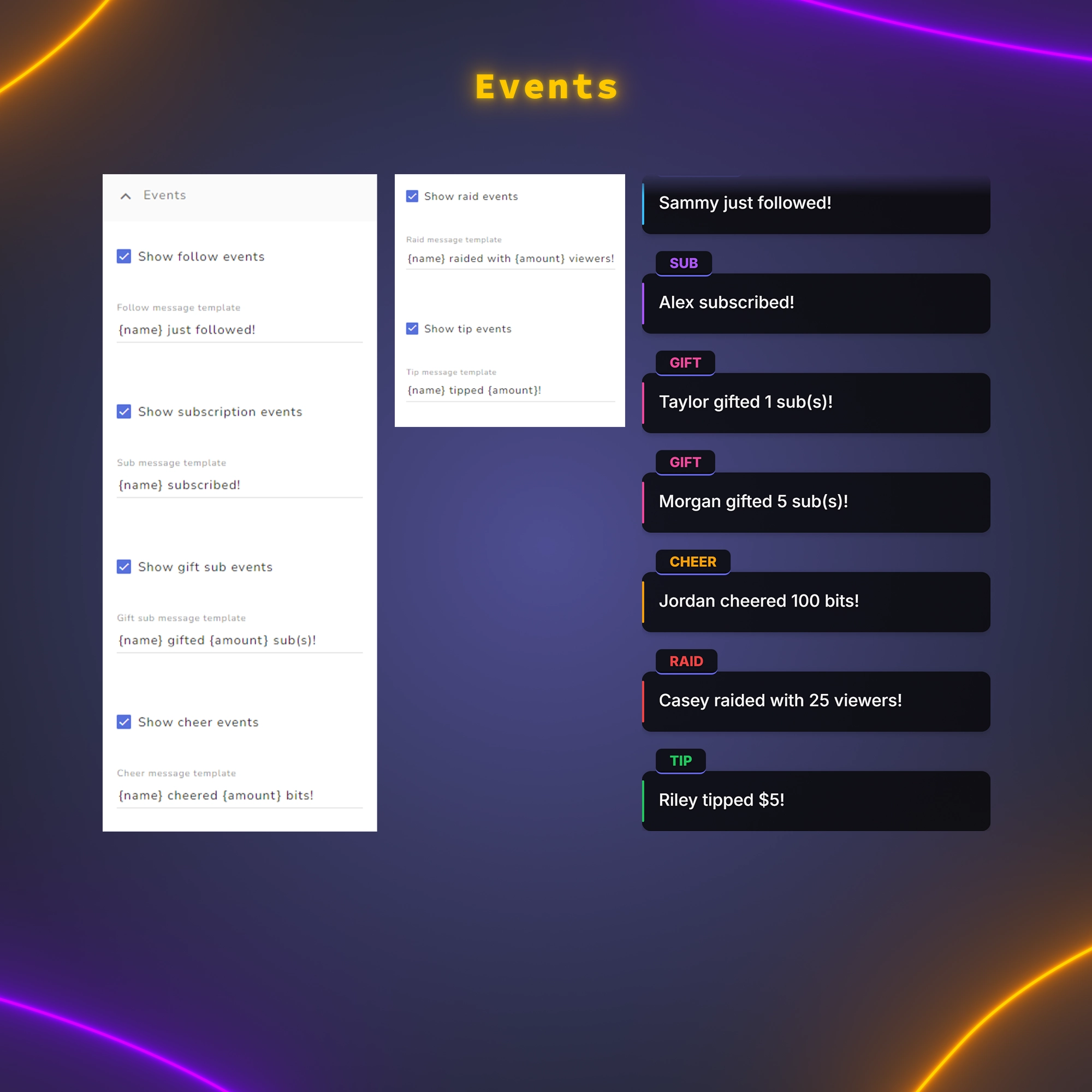
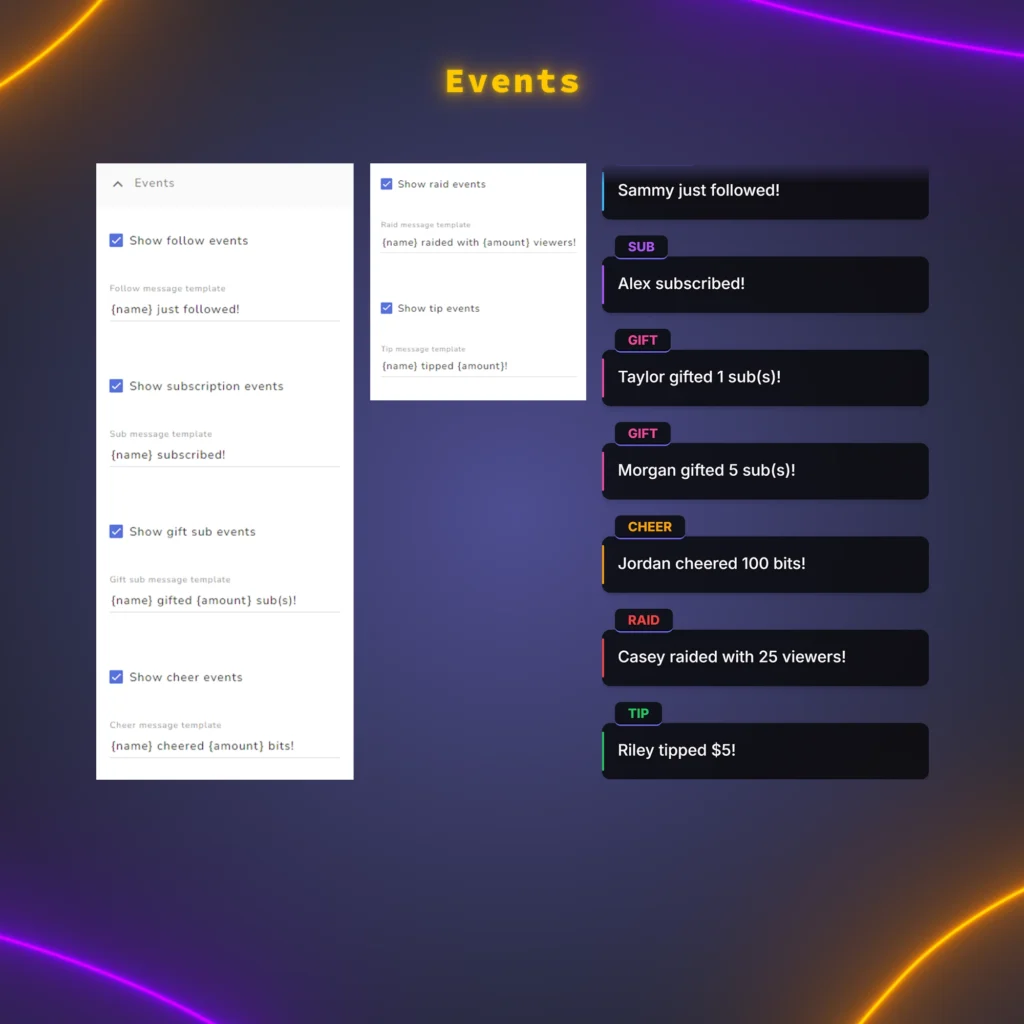
Follows, subs and resubs, gifted subs, cheers, raids and tips appear as cards in the same style as chat, with messages you can edit, and each type can be switched off. A gift of many subs shows as a single card when StreamElements marks it as a community gift.
Badges & Emotes
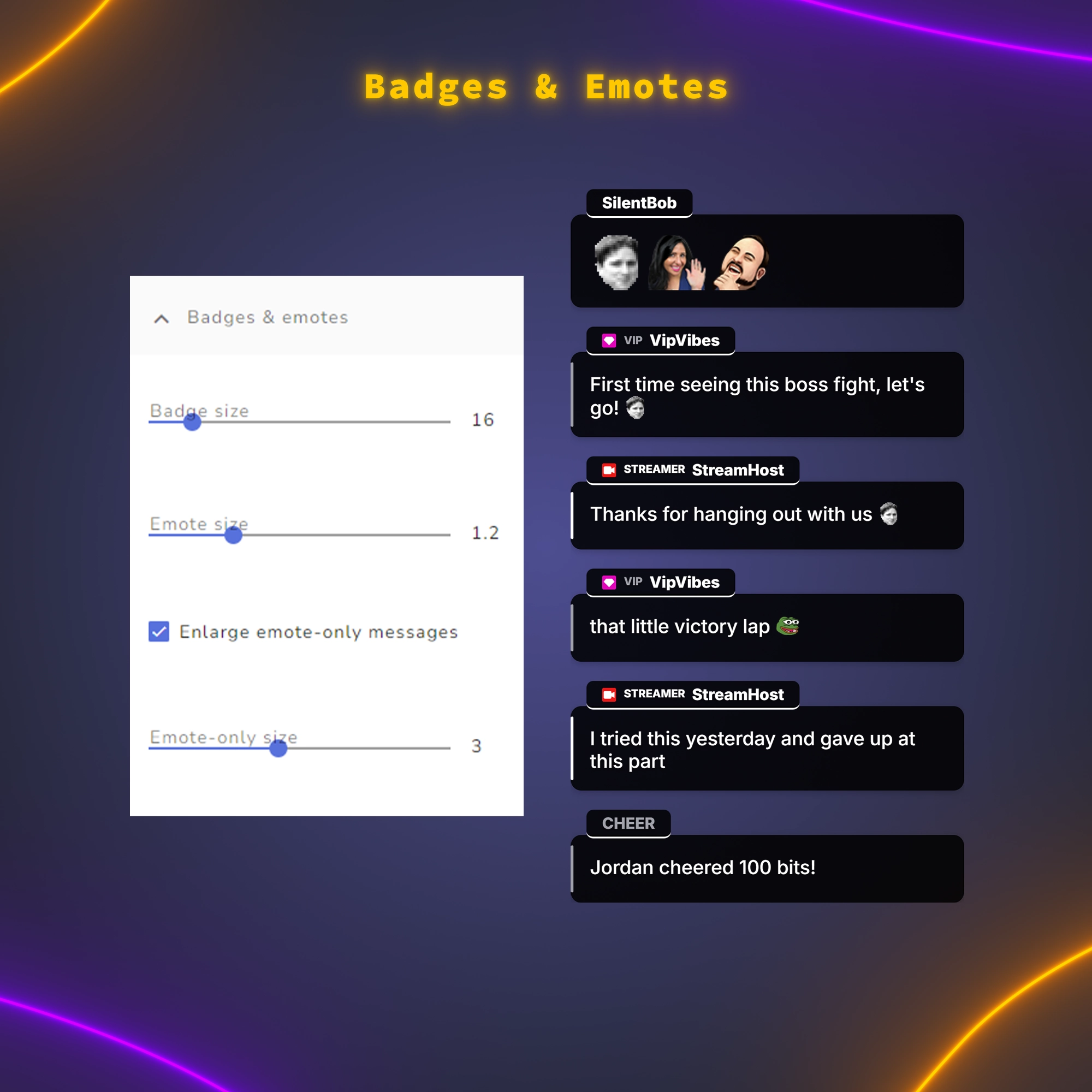
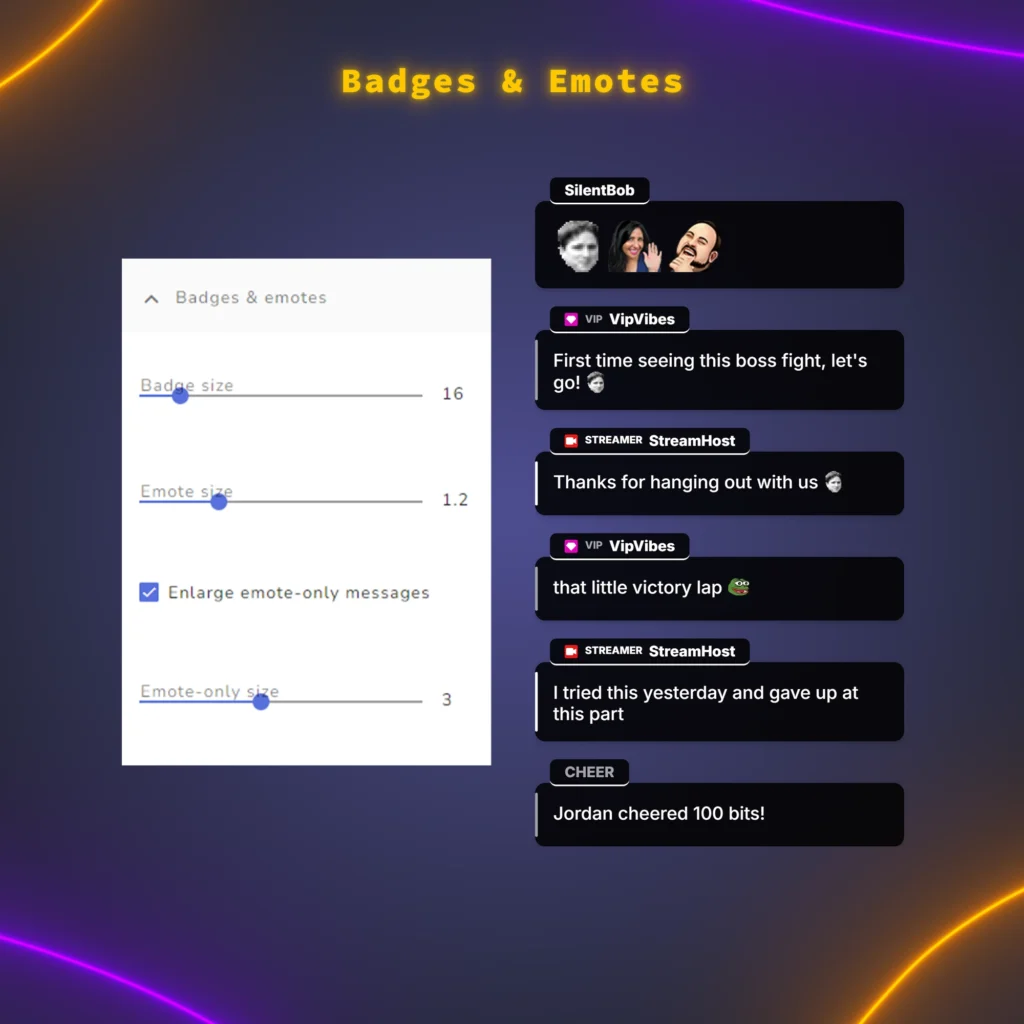
Emotes show up as images, not text: Twitch emotes including channel sub and animated ones, plus the global and channel emotes from 7TV, BTTV and FFZ, even emotes layered on other emotes. Set badge and emote sizes, and enlarge messages made only of emotes.
Message Limits
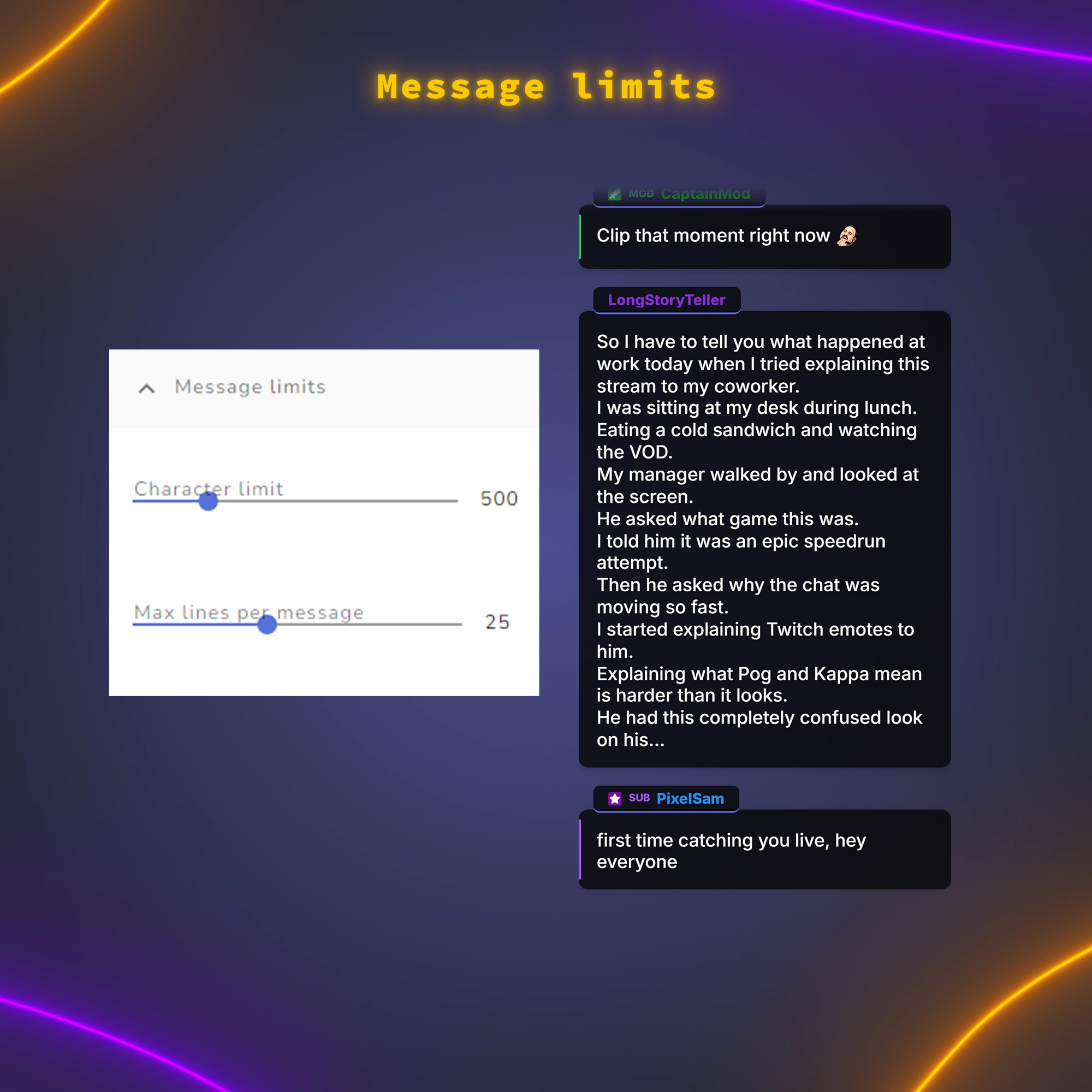
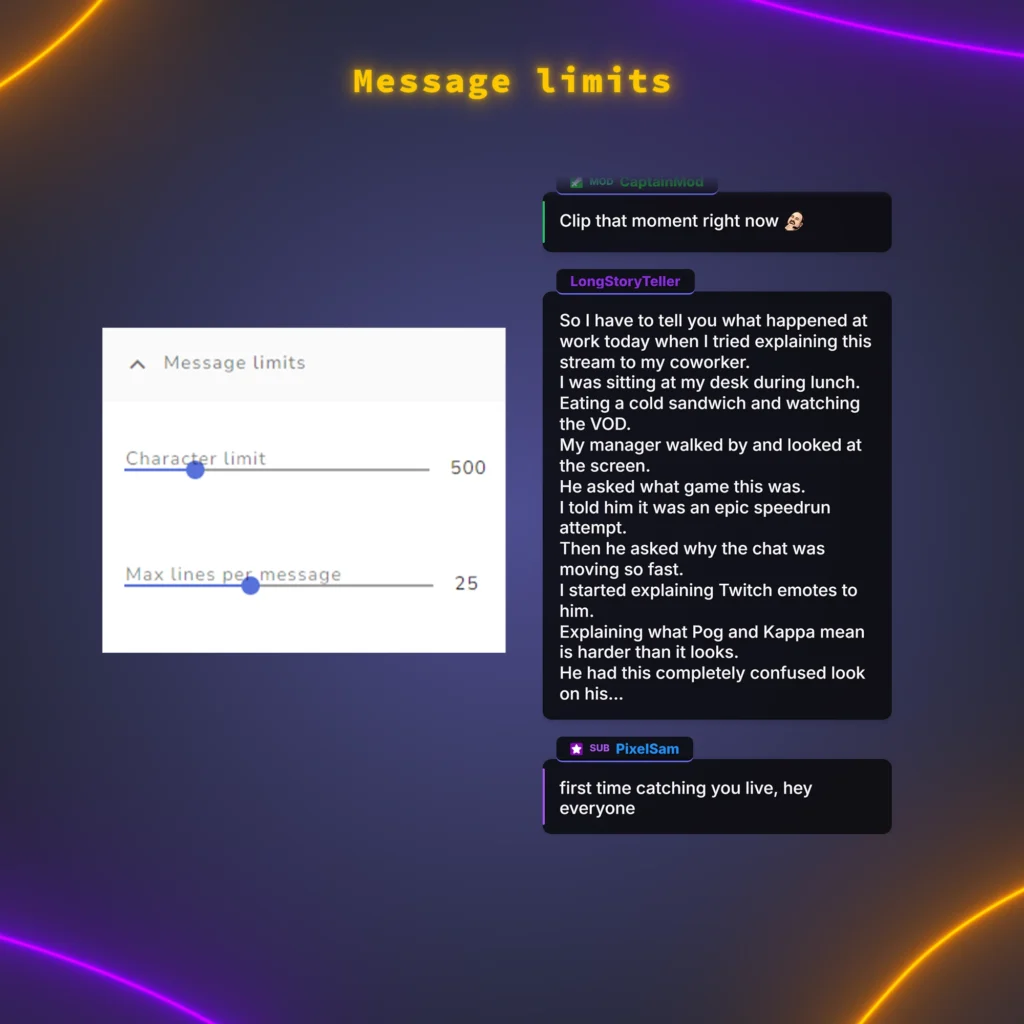
Stop one long message from taking over the screen. Set a character limit and a maximum number of lines per message, and anything longer is cut short.
Test Mode with Sample Chat and Events
Test mode fills the widget with sample chat in your current settings, including roles, mentions and emotes, at four speeds up to a raid-like flood, so you can set everything up before you go live. One button sends sample events, and the first real chat message switches test mode off.
Mod Actions and New Emotes Handled Automatically
Deleted messages and messages from timed-out or banned viewers disappear from the screen right away. New emotes added to your channel appear within about 10 minutes, without keys or extensions.
Package Contents
- 5 widget files to add as a StreamElements custom widget.
- English PDF guides: Start Here, Installation Guide with screenshots, Settings Guide, FAQ, Report a Problem and Widget Updates.
Technical Details
- Platform: Twitch, through your StreamElements account
- Streaming software: OBS Studio or another app with a browser source
- Layouts: 2 vertical and 2 horizontal
- 3D perspective: vertical layouts (horizontal layouts stay flat)
- Fonts: any Google Font
- Emotes: up to 20 emote images per message
- Guide language: English
Important Notes
- YouTube, Kick, TikTok and multistream setups are not supported.
- Events are visual cards without sounds.
- During very fast chat, some messages may be skipped to keep the feed readable.